
Canon Camera Connect
Canon Camera Connect App Info
-
App Name
Canon Camera Connect
-
Price
Free
-
Developer
Canon Inc.
-
Category
Photography -
Updated
2025-11-09
-
Version
3.5.11
Introducing Canon Camera Connect: Your Bridge Between Camera and Smartphone
Canon Camera Connect is a thoughtfully designed mobile application developed by Canon Inc. that seamlessly links your Canon camera with your smartphone, transforming how you capture, review, and share your photography. Perfect for both amateur enthusiasts and professional shooters, this app aims to make remote control and image management effortless and intuitive, all while leveraging advanced features to enhance your creative workflow.
Key Features That Elevate Your Photography Experience
At its core, Canon Camera Connect offers a suite of functionalities that bridge the gap between professional photography gear and the convenience of mobile devices. Its standout features include real-time image transfer with instant previews, sophisticated remote camera control options, and intelligent in-app editing enhancements. These tools collectively work to empower users with precision and flexibility, whether you're shooting a scenic landscape or capturing a live event.
A User Experience Designed for Ease and Efficiency
Intuitive Interface and Seamless Connectivity
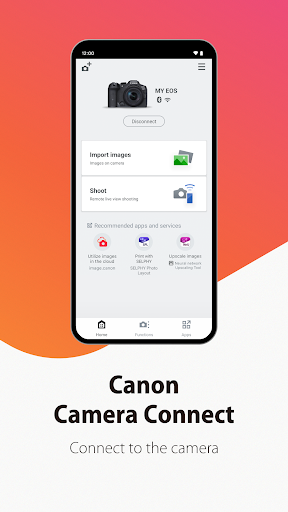
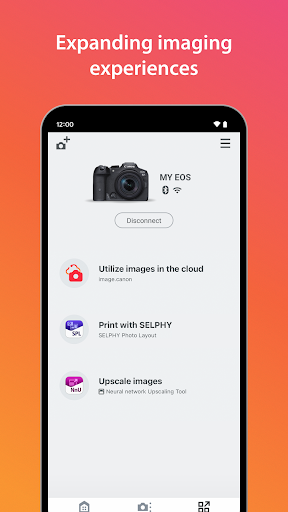
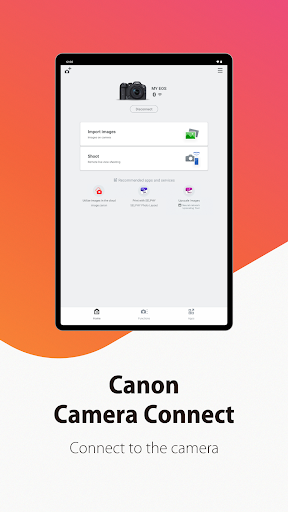
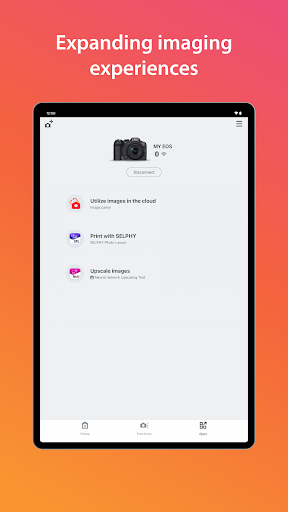
From the moment you launch Canon Camera Connect, the interface reveals itself as user-friendly—smooth icons, logically arranged menus, and a clean layout make navigation feel natural. Connectivity setup is quick and reliable; with Bluetooth or Wi-Fi, connecting your camera to the app feels like a well-practiced dance rather than a complex chore. The app's responsiveness ensures minimal lag, so you're always in sync with your camera's viewfinder, especially beneficial during dynamic shots.
Core Functional Modules: Real-Time Capture & AI-Based Enhancements
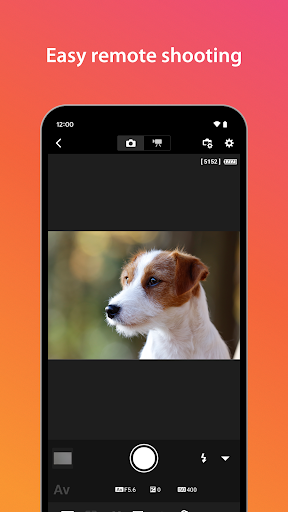
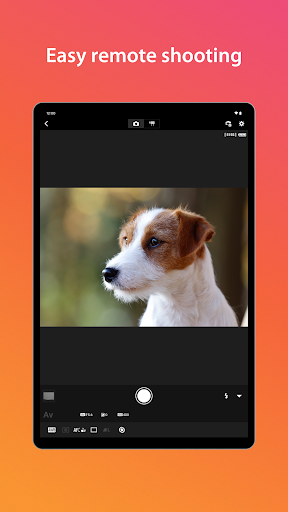
One of the app's most compelling features is its real-time capture and preview. As you adjust settings on your camera via the app, you see immediate visual feedback on your phone screen—a feature that is akin to having a second monitor always at your fingertips. This is particularly useful for composing shots from difficult angles or in situations demanding quick adjustments without touching the camera itself.
The AI-powered beauty and enhancement tools set Canon Camera Connect apart from typical remote control apps. When reviewing images, the app can automatically suggest natural improvements, such as brightness adjustments, skin-tone smoothing, or noise reduction—actions that traditionally require post-processing software. This not only speeds up your workflow but ensures images look their best straight out of the camera.
Evaluating User Experience: From Setup to Mastery
The learning curve is gentle; even newcomers will appreciate the straightforward onboarding process and clear guidance. The app responds swiftly to commands, with intuitive sliding controls and easy-to-understand icons, making complex tasks like focus stacking or exposure bracketing manageable. For seasoned photographers, the advanced features—such as custom remote shooting modes and file management—are powerful yet accessible, presented through a navigation system that encourages exploration rather than confusion.
What Sets Canon Camera Connect Apart? The Unique Perks
While many remote shooting apps exist, Canon Camera Connect shines through its integration of real-time preview and AI-driven image enhancement—delivering an experience that feels both futuristic and practical. Unlike competitors that merely transfer images, this app allows photographers to see exactly what the camera "sees" in real-time, making adjustments on the fly and capturing fleeting moments with precision. Its natural enhancement algorithms reduce the need for extra editing, online or offline, affording a more authentic portrayal of your scenes.
Final Thoughts & Recommendations
Overall, Canon Camera Connect earns high marks for its smooth operation, innovative features, and user-centric design. It's particularly recommended for users who value immediate feedback during shoots and appreciate having intelligent post-capture edits at their fingertips. Whether you're adjusting settings remotely at a busy event or reviewing shots on-site without lugging around a laptop, this app serves as a reliable and smart companion for your Canon camera.
If you're a photography enthusiast eager to bridge the gap between your camera and mobile device, or a professional seeking efficient workflow tools, give Canon Camera Connect a try—you might find it transforming how you capture and perfect your images.
Pros
User-friendly interface
The app offers an intuitive layout that makes connecting and browsing camera photos straightforward for users.
Seamless Wi-Fi connectivity
Easily establish a wireless connection between your Canon camera and smartphone without complicated setup.
Remote control functionality
Allows users to control camera settings and shoot remotely, improving convenience for photography.
Automatic picture transfer
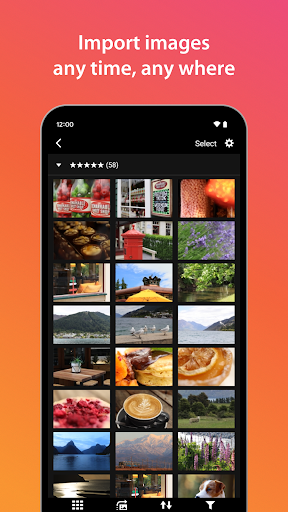
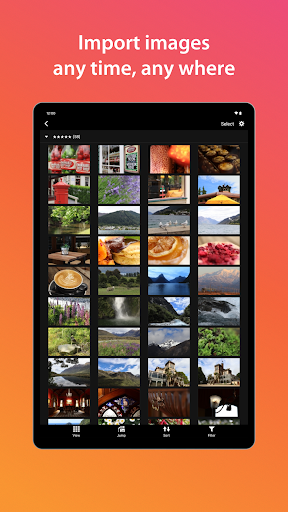
Automatically downloads images from the camera to your device for quick sharing.
Supports multiple models
Compatible with a wide range of Canon cameras, enhancing versatility for different users.
Cons
Slow transfer speeds (impact: Medium)
Large image files may take some time to transfer over Wi-Fi, especially on weaker networks.
Limited editing features (impact: Low)
Offers basic image viewing and transfer, but lacks advanced editing tools; users may need to use other apps for editing.
Occasional connectivity issues (impact: Medium)
Users might experience intermittent disconnections; restarting the app or camera can often resolve this temporarily.
Compatibility gaps with newer models (impact: Low)
Some very recent Canon cameras may require app updates for full functionality; checking for updates can help.
Limited support for non-Canon devices (impact: Low)
The app is primarily designed for Canon cameras, with limited or no support for other brands or smartphones.
Canon Camera Connect
Version 3.5.11 Updated 2025-11-09



















