

Cast to TV, Chromecast & Roku

Cast to TV, Chromecast & Roku App Info
-
App Name
Cast to TV, Chromecast & Roku
-
Price
Free
-
Developer
InShot Inc.
-
Category
Video Players & Editors -
Updated
2026-01-15
-
Version
2.4.6.1
Cast to TV, Chromecast & Roku: Your Ultimate Streaming Companion
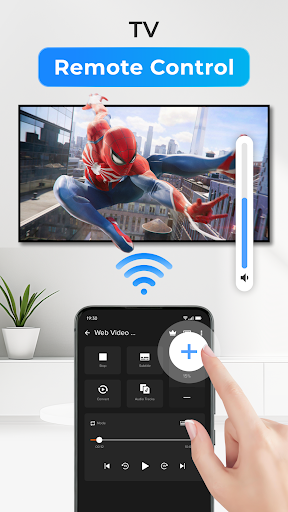
If you're tired of juggling multiple apps to get your favorite media onto your big screen, Cast to TV, Chromecast & Roku offers a unified, straightforward solution. This app acts as a bridge, transforming your device into the ultimate remote control for seamless media casting, whether through Chromecast, Roku, or other compatible devices. Developed by a passionate team dedicated to enhancing home entertainment, it brings together universal compatibility, intuitive control, and smart features that fit right into your daily entertainment routine.
Key Features That Make It Stand Out
At first glance, Cast to TV, Chromecast & Roku appears simple, yet beneath its clean interface lies a powerhouse of functionalities designed to elevate your streaming experience. Three standout features include: dynamic multi-device support, advanced media format compatibility, and AI-powered content management. These elements combine to deliver a versatile and efficient casting experience that appeals to tech enthusiasts and casual viewers alike.
Vivid Media Casting Experience - Making Media Flow Like Water
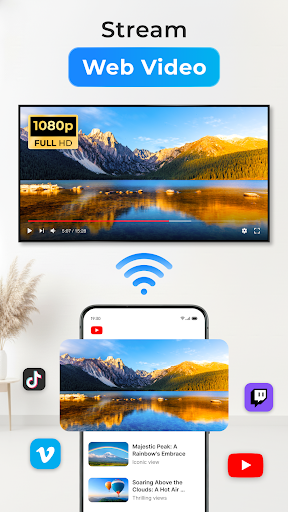
Imagine sitting cozily on your sofa, remote in hand, wanting to project a hilarious YouTube clip or your latest vacation video onto the big screen—this app transforms that casual desire into a smooth, almost magical act. The setup process is straightforward: connect your device to the same Wi-Fi network as your casting target, select your media, and hit cast. The app then takes over, streaming your favorite content with minimal delay. Its intelligent buffering mechanisms ensure continuous playback even on less-than-ideal network conditions, making every stream feel like a personal cinema experience.
Intuitive Interface and Effortless Operation
The app's interface is designed with simplicity at its core—a sleek dashboard displays your media sources, connected devices, and casting options neatly. Navigating through menus feels intuitive, with clear icons and labels guiding even the newest users. The operation flow is smooth; selecting a video, choosing your preferred device, and casting feels like flipping a switch. The learning curve is shallow, meaning you'll be up and running within minutes, not hours. This ease of use ensures everyone in the family can enjoy the benefits without fussing over complex settings.
Media Format Compatibility and Smart Features - Outpacing the Competition
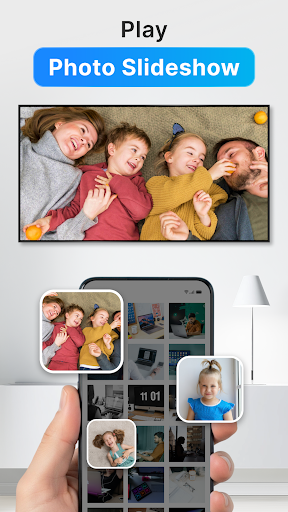
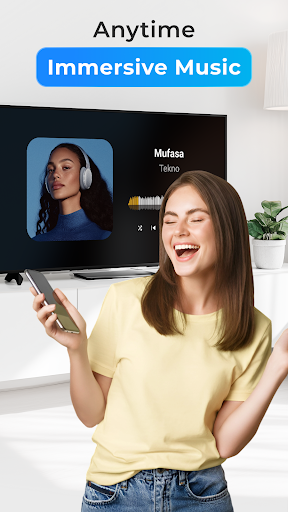
One of the app's most impressive aspects is its breadth of media format support. Unlike some casting apps that stumble over certain files or codecs, Cast to TV, Chromecast & Roku handles a wide array—moving pictures, videos, music, even some 4K and HDR content—without breaking a sweat. Its hardware-accelerated decoding means less buffering and higher fidelity. Additionally, its AI-powered content management offers features like automatic playlist creation, smart dubbing, and voice-controlled inputs, which set it apart from standard casting tools. These innovations do more than just send media—they enhance the overall viewer experience by intelligently managing and optimizing playback.
Final Verdict and Recommended Usage
This app is highly recommended for users seeking a reliable, easy-to-use solution that bridges multiple streaming platforms seamlessly. Whether you're a casual viewer, a tech-savvy enthusiast, or someone who regularly hosts movie nights, Cast to TV, Chromecast & Roku offers a robust set of features without the complexity often associated with high-end casting tools. It's particularly beneficial if you need broad device compatibility and superior media format support.
In sum, consider this app your friendly, efficient assistant—quietly enhancing your media experience with smart technology and user-oriented design. While it may not replace more sophisticated media editing or management tools, it excels as an all-in-one casting companion. For best results, keep your devices updated and use it in a stable Wi-Fi environment. Given its practical features and thoughtful design, this app deserves a solid recommendation for anyone looking to elevate their streaming game without hassle.
Pros
Easy to use interface
The app offers a straightforward setup and navigation process, suitable for users of all tech levels.
Supports multiple streaming devices
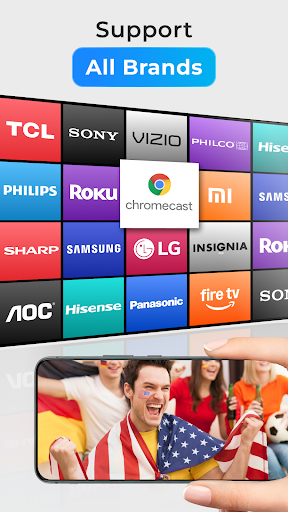
Compatible with popular devices like Chromecast, Roku, and smart TVs, ensuring broad usability.
High-quality streaming options
Provides smooth HD and 4K streaming capabilities, enhancing viewing experience.
Built-in content discovery features
Includes recommendations and search functions to easily find preferred shows and movies.
Frequent updates and bug fixes
Regularly improved for stability and new features, reflecting active developer support.
Cons
Limited free features (impact: medium)
Some advanced functionalities require a premium subscription, which may inconvenience casual users.
Occasional connectivity issues (impact: medium)
Users may experience lag or disconnections, especially on unstable Wi-Fi networks; reconnecting or restarting usually helps.
Inconsistent content availability (impact: low)
Certain streaming services or regions may have limited access; users can check for updates or contact support for improvements.
Navigation can be sluggish on some devices (impact: low)
Older smartphones or tablets might experience delays; closing background apps or updating firmware can mitigate this.
Limited customization options (impact: low)
Users seeking extensive personalization may find the app restrictive; future updates are expected to address this concern.
Cast to TV, Chromecast & Roku
Version 2.4.6.1 Updated 2026-01-15



















