

Glass Widgets
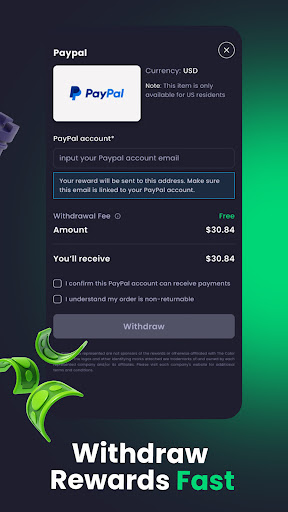
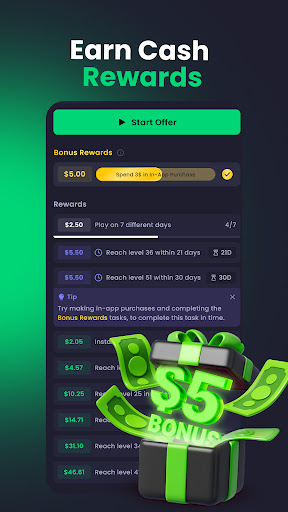

Glass Widgets App Info
-
App Name
Glass Widgets
-
Price
Free
-
Developer
Freecash
-
Category
Personalisation -
Updated
2026-01-27
-
Version
1.171
An Innovative Personalization Experience: A Deep Dive into Glass Widgets
Imagine having a personal dashboard that adapts seamlessly to your daily routines, preferences, and aesthetic tastes—making your smartphone feel uniquely yours. Glass Widgets steps into this space as a versatile tool designed to elevate how we customize our device interfaces, blending elegance with functional mastery. Developed by a dedicated team committed to crafting intuitive user experiences, this app promises more than just eye candy; it offers a suite of smart features aimed at transforming your device into a reflection of your personality and needs.
Core Functionality That Turns Heads
1. Dynamic Widget Customization with Real-time Data Integration
One of Glass Widgets' standout features is its ability to create highly personalized widgets that aren't static images but living, breathing portals displaying real-time data. Whether it's your weather updates, calendar events, news feeds, or even custom information like stock prices and fitness stats, these widgets adapt fluidly. Imagine glancing at your home screen and, instead of outdated static icons, seeing a sleek, animated display of your upcoming meetings or the current temperature—beautifully integrated and effortlessly interactive.
2. Sophisticated Themes and Design Flexibility
The app excels in aesthetic customization, offering an extensive library of themes, color palettes, and layout options. Want your widget to resemble a glass-like pane with semi-transparent effects, or prefer a minimalist approach with clean lines and muted tones? Glass Widgets provides tools that empower you to craft visuals that match your style perfectly. This high degree of personalization means your device doesn't just function well—it looks exceptional doing so, elevating your overall device aesthetic with a touch of elegance.
3. Smart Automation and Gesture Controls
Beyond static customization, Glass Widgets introduces clever automation features. Set specific triggers—such as time of day, location, or device orientation—that change widget content or design automatically. For example, when you arrive at work, your weather widget could shift to display the day's forecast prominently, while at home, your media controls take the spotlight. Additionally, intuitive gesture controls allow quick interactions—swipe, tap, or pinch—to toggle between widget states or reveal hidden information, making your user experience both fluid and interactive.
Design, Usability, and User Experience
The app boasts a sleek, modern interface that feels like navigating through a futuristic dashboard—clean, well-organized, and responsive. Setting up widgets is straightforward; guided tutorials and drag-and-drop features lower the learning curve significantly, making it accessible even to users new to customization apps. During use, interactions are smooth, with minimal lag—testament to well-optimized performance that makes the experience feel seamless, akin to gliding through butter. The aesthetic options allow for intuitive personalization, meaning users can experiment confidently without feeling overwhelmed. However, some advanced features might require a brief learning period, especially when creating complex automation routines, but the rich help resources and community support ease this process.
What Makes Glass Widgets Stand Out?
Compared to other personalization apps, Glass Widgets differentiates itself through its focus on visual elegance coupled with intelligent automation. While many apps offer customization, few manage to combine a polished, glass-inspired aesthetic with real-time data integration and automation in such a unified way. Its design philosophy mimics the clarity and sleekness of actual glass—translucent, delicate, yet strong in functionality—making it both a visual delight and a practical tool. This attention to detail offers a unique blend of beauty and utility that appeals not only to tech enthusiasts but also to users seeking a more refined smartphone interface.
Recommendations and Usage Scenarios
All things considered, I'd recommend Glass Widgets for users who value aesthetic customization but don't want to sacrifice functionality. It's particularly suited for individuals who enjoy tailor-made interfaces and are keen to incorporate real-time data into their daily routines. Casual users might find the initial setup enjoyable, while power users will appreciate the automation features for streamlining their device interactions. Given its versatility, the app works well for both personal and professional setups—whether you're managing a busy schedule or simply wanting your device to feel more ‘you.' For best results, dedicate some time to exploring its themes and automation options, and you'll discover a personalized experience that feels less like a smartphone and more like your own digital extension.
Pros
Intuitive and customizable widget design
Allows users to personalize glass widgets to match their aesthetic preferences seamlessly.
High-quality transparent effects
Provides a sleek, modern look with realistic glass transparency and reflections.
Low battery consumption
Efficiently uses system resources, ensuring minimal impact on device battery life.
Wide variety of widget options
Offers multiple sizes and functionalities, catering to different user needs.
Easy integration with device features
Supports quick access to functions like weather, calendar, and notifications directly from the widget.
Cons
Occasional lag on older devices (impact: medium)
Some users report slight delays when loading or updating widgets, especially on aging hardware.
Limited free customization options (impact: low)
Many advanced themes and effects require in-app purchases, which may be restrictive for some users.
Widget sizing may sometimes be misaligned (impact: low)
Users may need to manually adjust widget sizes to fit their home screens properly; an automatic fit feature could improve usability.
Initial setup can be confusing for new users (impact: low)
A more guided tutorial or onboarding process might enhance user experience; the developers have announced plans to improve onboarding.
Some features are locked behind updates or subscriptions (impact: low)
This could limit full functionality for free users, but official plans indicate future feature expansion in the pipeline.
Glass Widgets
Version 1.171 Updated 2026-01-27












