

Hicut:Face Swap AI Video App

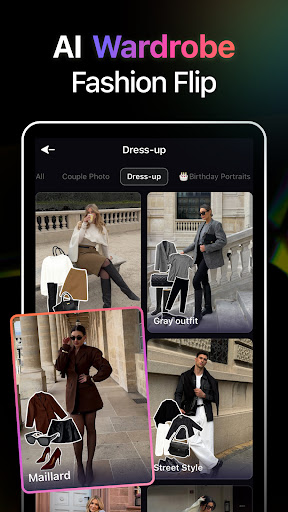
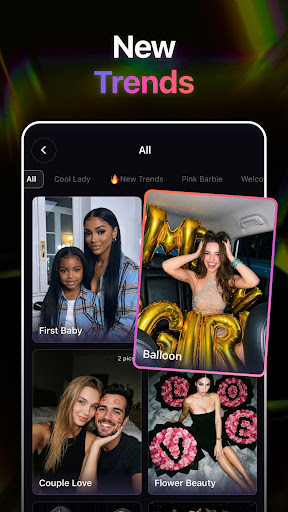
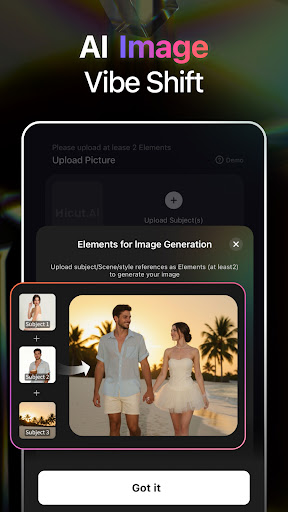
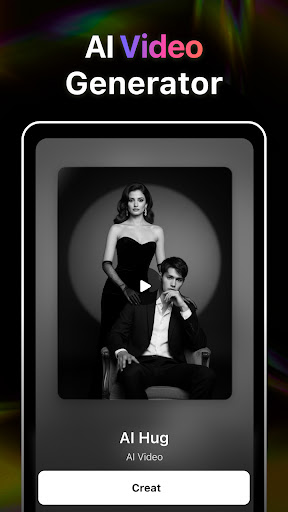
Hicut:Face Swap AI Video App App Info
-
App Name
Hicut:Face Swap AI Video App
-
Price
Free
-
Developer
Songzan
-
Category
Art & Design -
Updated
2026-01-08
-
Version
2.3.7
Hicut:Face Swap AI Video App — A New Frontier in Facial Transformation
Imagine seamlessly swapping faces in videos with a tool so intuitive that even beginners can create compelling content—Hicut:Face Swap AI Video App promises just that. Developed by a dedicated team focused on harnessing AI for creative expression, this app stands out in the crowded face-swapping landscape with its unique features and user-centric design. Whether you're a content creator, influencer, or just someone interested in exploring AI-driven video editing, Hicut offers an accessible yet powerful platform tailored to meet various needs.
Who is Hicut for? The Target Audience
This app is crafted for a wide spectrum of users—from hobbyists eager to inject fun into their videos, to professional creators seeking quick face swaps for entertainment or branding purposes. Its intuitive interface makes it particularly appealing to those without deep technical skills but interested in exploring AI-based editing. Additionally, social media enthusiasts aiming to produce eye-catching content will find Hicut's capabilities especially handy. Overall, it's designed to democratize face swapping technology, making it accessible for anyone curious about this fascinating intersection of AI and visual storytelling.
A Fun Yet Sophisticated Face Swap Experience
Hicut immediately welcomes users with a sleek, modern interface that feels more like launching a high-tech gadget than navigating a complicated app. The first impression is one of ease—think of stepping into a well-designed cockpit where all necessary controls are within reach. As you begin, you're greeted with clear, step-by-step prompts that guide you through the process, making even complex face-matching tasks feel straightforward. The app's responsiveness is commendable; transitions between functions are buttery smooth, ensuring that your creative flow remains uninterrupted. For those new to face swapping or AI-driven editing, the learning curve is gentle, with tutorials and tips integrated into the app, making it a friendly companion on your creative journey.
The Core Magic: What Sets Hicut Apart
1. High-Quality Real-Time Face Swapping
The standout feature of Hicut is its ability to produce remarkably natural and high-quality face swaps in videos. Powered by advanced AI algorithms, the app can accurately detect facial features and seamlessly blend them into different scenes, lighting conditions, and angles. Whether swapping faces of friends, celebrities, or fictional characters, users can expect results that look polished and convincing—almost like magic. This capability elevates Hicut beyond simple novelty; it offers professional-grade results without the need for complex editing software.
2. Customizable Facial Features and Expressions
Where Hicut truly shines is in its nuanced control over facial expressions and features. Unlike other apps that offer static swaps, Hicut allows users to tweak facial movements, blinking, and expressions, giving a more lifelike and dynamic feel. Imagine creating a video where your smile or surprise reaction perfectly matches a scene—this level of detail makes the experience engaging and personalized. It opens doors for creative storytelling, parody videos, or personalized messages that feel authentic rather than robotic.
3. Intelligent Scene Adaptation & Background Handling
Another remarkable aspect is Hicut's scene understanding capability. The app intelligently analyzes the background and context of the video, adjusting the swapped face accordingly. This results in minimal artifacts and a more integrated appearance, even in complex scenes with moving backgrounds. For users, this means less time fiddling with masks or overlays, and more time enjoying the creative process. Plus, this feature stands out among similar apps, giving Hicut an edge in producing seamless, professional-looking videos effortlessly.
Design, Usability, and Overall Experience
The user experience in Hicut is thoughtfully crafted. The interface is clean, with large buttons and logical layout, making navigation intuitive for users of all skill levels. The app responds quickly to commands, embodying a fluidity that keeps users immersed in their creativity. Its learning curve is gentle: even first-timers can pick up the basic functions within minutes, while experienced editors can utilize advanced settings for finer control. The inclusion of helpful tips and tutorials further lowers the barrier for beginners. Overall, Hicut strikes a refreshing balance between sophistication and simplicity, making the complex task of AI face swapping feel approachable and fun.
What Makes Hicut Truly Unique? A Comparative Edge
While many face swapping apps focus on dramatic or exaggerated outputs, Hicut distinguishes itself with its commitment to realism and detail. Its AI models are trained on diverse datasets, allowing it to handle various skin tones, facial structures, and environmental conditions better than many competitors. Moreover, the ability to dynamically tweak facial expressions and adapt scenes intelligently sets it apart from merely swapping faces — it enables a new level of storytelling immersion. Compared to Art & Design tools that might prioritize artistic effects or stylistic filters, Hicut's strength lies in delivering authentic, functional face swaps that can be seamlessly integrated into real or fictional moments.
Final Verdict and Usage Recommendations
All in all, Hicut:Face Swap AI Video App is a solid choice for anyone interested in exploring AI-driven facial editing. Its standout features—particularly high-quality, realistic face swaps and expressive customization—offer something genuinely different from typical apps in this space. For casual users, social media enthusiasts, or content creators seeking quick yet credible results, Hicut is highly recommended. Advanced users looking for detailed control and scene integration will also find it a powerful and intuitive tool. I suggest experimenting with the app's features in varied scenarios—make short clips of friends, create humorous reenactments, or produce personalized content—to unlock its full potential. Although it's not designed for heavy professional use, Hicut strikes a delightful balance between accessibility and sophistication, making it a game-changer for accessible, AI-powered video editing.
Pros
High-Quality Face Swapping Result
Hicut provides realistic and seamless face swap videos that look natural.
User-Friendly Interface
The app has an intuitive design that makes it easy for beginners to create videos quickly.
Fast Processing Speed
Videos are generated swiftly, reducing wait times even on mid-range devices.
Multiple Customization Options
Users can choose different faces and backgrounds to personalize their videos.
Supports High-Resolution Output
The app allows exporting videos in high resolution, enhancing visual clarity.
Cons
Limited Face Database (impact: Medium)
The app currently has a small selection of faces, which may restrict creative variety.
Occasional Quality Flaws (impact: Medium)
Some face swaps may display artifacts or unnatural edges, especially in complex scenes.
Battery Consumption (impact: Low)
Processing high-quality videos can drain device battery quickly; users should optimize settings.
Privacy Concerns (impact: High)
Handling of user data and uploaded videos should be clarified; future updates may include stricter privacy controls.
Limited Free Features (impact: Low)
Many advanced options are behind a paywall; exploring the free features can still be rewarding.
Hicut:Face Swap AI Video App
Version 2.3.7 Updated 2026-01-08



















