

MD301 Hybrid watch face
MD301 Hybrid watch face App Info
-
App Name
MD301 Hybrid watch face
-
Price
1.49
-
Developer
AppsLab Co.
-
Category
Personalisation -
Updated
2026-01-31
-
Version
1.0
Introducing MD301 Hybrid Watch Face: Smart Personalization at Your Fingertips
If you're someone who loves customizing your smartwatch to reflect both style and functionality, the MD301 Hybrid Watch Face offers an intriguing solution. Crafted by a dedicated development team, this app aims to deliver a versatile and engaging watch face experience that balances aesthetic appeal with practical data display. Perfectly suited for tech enthusiasts, fashion-conscious users, and those who crave a bit of both, MD301 Hybrid stands out as a noteworthy contender in the realm of smartwatch personalization.
Highlighting the Core Features That Make MD301 Shine
Dynamic Hybrid Design — Marrying Traditional Elegance with Modern Data
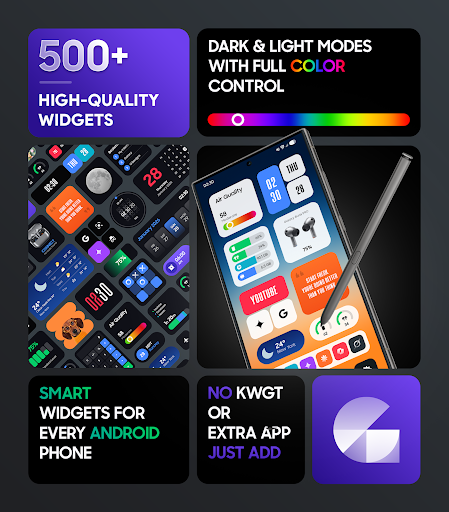
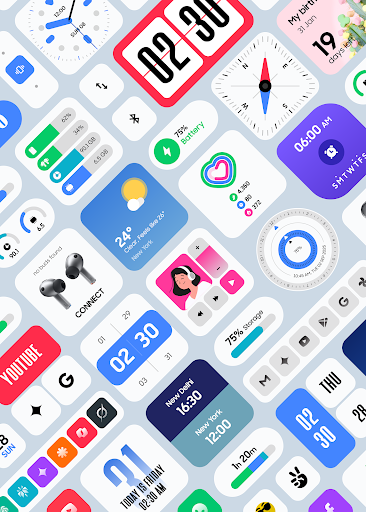
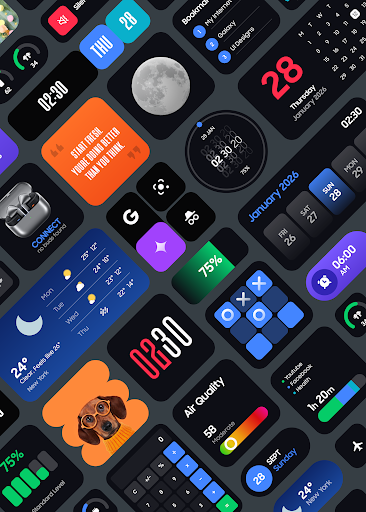
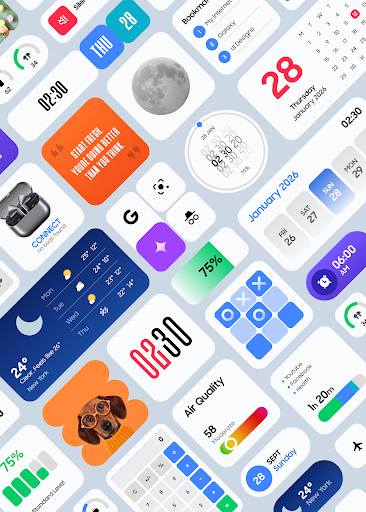
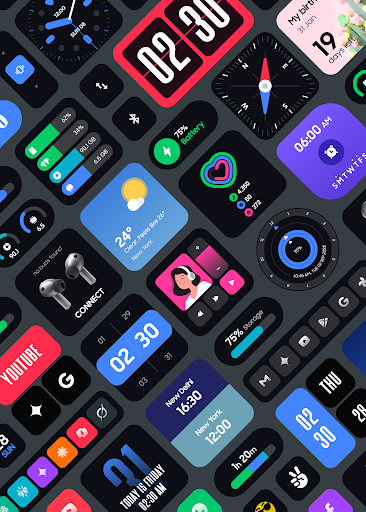
The centerpiece of the app is its hybrid design that seamlessly blends analog clock aesthetics with digital information overlays. Think of it as having a vintage watch face infused with real-time health stats and notifications, all on one elegant screen. Users can choose from various stylish watch hand designs while customizing digital elements like step counts, weather, and battery status, creating a personalized blend that feels just right.
Extensive Customization Options — Your Watch, Your Rules
One of the app's strongest suits is its broad spectrum of customization options. From choosing different color themes and font styles to adjusting layout arrangements, MD301 allows users to craft a watch face that matches their mood or attire. The app's intuitive interface ensures that even newcomers can easily navigate the settings, making personalized design a fun, engaging process rather than a technical chore.
Smart Data Integration with Minimal Power Drain
The application smartly links to various health and notification services, providing key data points at a glance—like heart rate, step progress, calendar events, or weather updates. What's impressive is how the app manages these integrations efficiently to conserve battery life, balancing the desire for continually updated info with the practical need for longer smartwatch usage between charges.
User Experience and Design Philosophy
Crucial to any watch face app is how it feels in day-to-day use. MD301 Hybrid's interface strikes a commendable balance between elegance and usability. Upon launching, users are greeted with a clean, thoughtfully designed dashboard where customization options are logically organized. Swiping through menus or toggling different features is smooth as silk, thanks to responsive gestures and minimal lag. The learning curve is gentle; within minutes, users can create a personalized watch face that feels natural and intuitive, almost like designing a miniature canvas tailored just for them. The visual hierarchy is clear, with essential information front and center, ensuring quick readability during busy mornings or mid-run peaks.
What Sets MD301 Apart From the Crowd?
Compared to traditional personalization apps, MD301's most remarkable feature is its hybrid design approach—combining analog aesthetics with real-time digital data. This fusion provides a unique visual experience that many other apps, often purely digital or overly minimalistic, do not offer. Additionally, the app's emphasis on customization depth—such as selectable design elements, adaptive layouts, and style blending—makes it more than just a static watch face; it's a canvas for self-expression.
Furthermore, the app's efficient data integration stands out. While many competitors struggle with sluggish updates or battery drains, MD301 manages to deliver a rich informational display with minimal impact on power consumption, which is crucial for everyday usability.
Recommendation and Usage Suggestions
Is MD301 Hybrid Watch Face a must-try? Absolutely, especially if you appreciate a sophisticated blend of classic and digital in your smartwatch interface. It's particularly suitable for users who enjoy tinkering with their watch face designs and value information at a glance without sacrificing style. Beginners will find a gentle learning curve, while seasoned users will appreciate the depth of customization.
To get the most out of what MD301 offers, it's best to spend some time exploring the various themes and layout options to craft a look that genuinely resonates with you. Regularly updating the app might also unlock new styles or features, keeping your watch face fresh and aligned with your evolving taste. For those seeking a balance between elegance and practicality, MD301 Hybrid is a noteworthy choice—not the flashiest, but consistently reliable and visually appealing.
Pros
Highly customizable watch faces
Users can easily modify the design and layout to suit personal preferences, enhancing user experience.
Wide range of built-in widgets
Includes various useful widgets like weather, fitness stats, and calendar for quick access.
Intuitive interface and smooth navigation
Simplifies setup and daily usage, making it accessible for both beginners and experienced users.
Supports multiple watch face styles
Offers diverse design options, from minimalist to complex, catering to different tastes.
Regular updates and feature additions
Continuous improvements ensure the app stays relevant and improves over time.
Cons
Limited free customization options (impact: medium)
Some advanced features and watch face designs require a premium subscription, which might limit customization for free users.
Occasional synchronization delays (impact: low)
Users may experience brief delays when updating watch faces or syncing data with their smartwatch.
Battery consumption slightly higher during customization (impact: medium)
Extensive use of animated or high-resolution watch faces may increase battery drain, but can be mitigated with settings adjustments.
Learning curve for advanced features (impact: low)
New users might need time to familiarize themselves with all customization tools and options.
Compatibility limitations with some smartwatch models (impact: low)
Certain features might not work perfectly on all device brands or older watch models, but official updates are expected to improve this.
MD301 Hybrid watch face
Version 1.0 Updated 2026-01-31












