

Mileage Tracker by Everlance
Mileage Tracker by Everlance App Info
-
App Name
Mileage Tracker by Everlance
-
Price
Free
-
Developer
Everlance Mileage Tracker
-
Category
Finance -
Updated
2026-02-02
-
Version
5.1.1
Introducing Mileage Tracker by Everlance: Your Reliable Travel Log
If you're a business traveler, a freelancer tallying every mile, or simply someone who wants accurate, hassle-free expense tracking, Mileage Tracker by Everlance emerges as a trustworthy partner. Designed to simplify your mileage logging process, this app promises to turn what used to be a tedious task into an effortless experience backed by intelligent automation and secure data handling.
About the Developer and Core Features
Developed by Everlance, a dedicated team focused on financial and expense management solutions, Mileage Tracker leverages cutting-edge technology to deliver precise and user-friendly mileage logging. Its key highlights include:
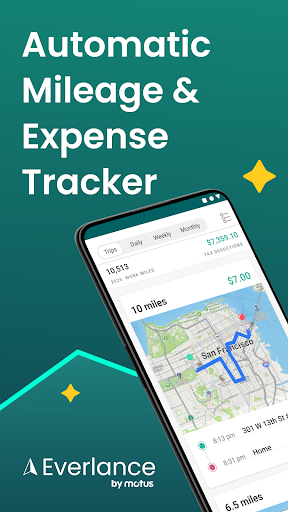
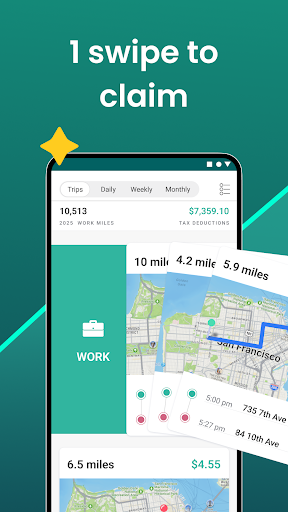
- Automatic Trip Detection: The app intelligently detects when you start driving, logging trips without manual input.
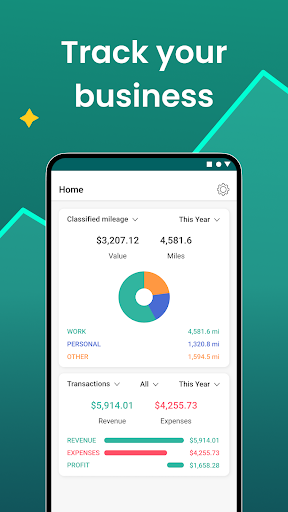
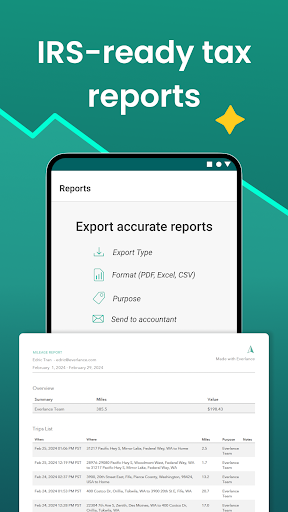
- Intuitive Mileage Recording & Reporting: Seamlessly capture start and end points, view detailed trip history, and generate expense reports.
- Secure Data Management: Prioritizes user privacy with encrypted storage and secure cloud backup options.
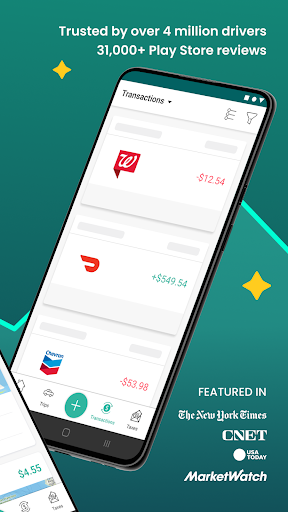
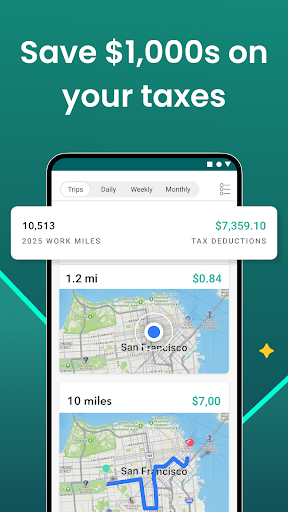
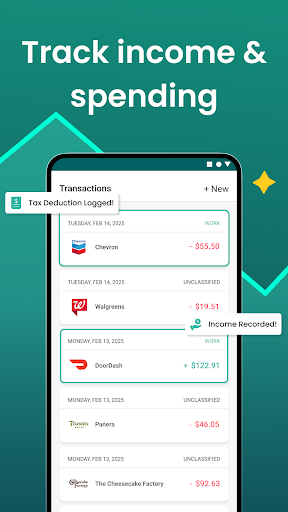
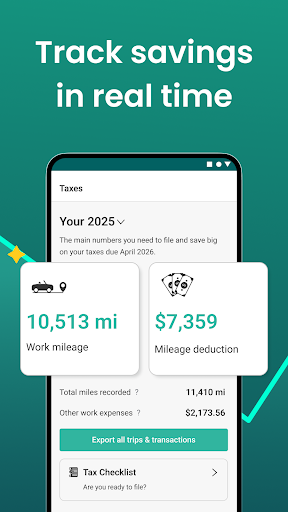
- Integration with Expense & Tax Tools: Supports easy export to accounting platforms, making tax deductions straightforward for self-employed professionals.
Targeted at freelancers, small business owners, road warriors, and anyone who needs accurate mileage tracking, the app seeks to simplify expense management and ensure claimable miles are never missed.
Engaging and User-Friendly Experience
Imagine the thrill of finally having a personal assistant who keeps perfect track of your driving all day — that's the promise Mileage Tracker by Everlance delivers. From the moment you open the app, it feels like stepping into a sleek, well-organized cockpit rather than a cluttered dashboard. The clean interface, characterized by straightforward icons and minimalistic design, reduces the learning curve—it's almost as if the app anticipates your needs.
Smart Trip Detection and Manual Entry
The app's core magic lies in its automatic trip detection feature. Once enabled, it uses your device's GPS to identify when you hit the road. Think of it as having a vigilant compass that quietly bookmarks every journey without you lifting a finger. For those trips that don't get caught automatically, manual entry is quick and effortless. You just input start and end points, and the app takes care of calculating miles based on current maps—saving you from tedious calculations or paper logs.
Intuitive Interface and Workflow
Navigating Mileage Tracker feels akin to flipping through a well-organized travel journal. The dashboard displays recent trips at a glance, with clear indicators of mileage and duration. Generating reports for reimbursements or taxes is as simple as tapping a button. The app's layout minimizes distractions, allowing you to focus on your journey instead of fumbling through complicated menus. Its responsive design ensures smooth operation across devices, whether you're on a smartphone or a tablet, providing a consistent experience every time.
Security and Integration — Standing Out in the Crowd
What really sets Mileage Tracker apart from many competing apps is its unwavering focus on data security amid a sea of tracking solutions. With encrypted storage and optional cloud backups, users can trust their mileage data remains private and protected—an essential feature for sensitive business information. Additionally, unlike simpler apps, it seamlessly integrates with popular accounting and expense management platforms, streamlining the process from trip to tax deduction. This ease of data flow minimizes manual errors, delivering not just accurate records but also peace of mind.
Final Take: Is It Worth Your Time?
Considering its sharp features, intuitive design, and focus on security, Mileage Tracker by Everlance earns a solid recommendation. It's particularly suited for individuals who value accuracy and simplicity over complicated setups. For casual users, the automatic detection reduces manual work to a minimum, while business users will appreciate the seamless integration and detailed reporting tools.
In summary, if your daily routine involves frequent driving and expense claims, this app acts like a trusty co-pilot—quietly working behind the scenes, ensuring every mile is recorded, secure, and ready for action. It's a refined, honest solution that might just become your indispensable travel companion.
Pros
Automatic trip detection
The app reliably detects and records drives without manual input, saving time.
Accurate mileage tracking
Provides precise distance calculations essential for reimbursements and tax deductions.
User-friendly interface
Easy to navigate, making it accessible even for first-time users.
Integration with expenses and income tracking
Allows seamless management of related financial data within the app.
Cloud backup and sync
Ensures data is safely stored and accessible across multiple devices.
Cons
Limited offline functionality (impact: medium)
Some features require internet connection; offline mode could be improved.
Occasional false trip detections (impact: low)
Short or slow trips may be misinterpreted as non-business drives, but users can manually correct entries.
Battery consumption (impact: medium)
Continuous location tracking can drain device battery; users might need to optimize app settings.
Limited customization options (impact: low)
Navigation or notification settings are somewhat basic and could benefit from more personalization.
Expense reporting features are basic (impact: low)
More detailed categorization and reporting tools are anticipated in future updates; currently may require external apps for advanced needs.
Mileage Tracker by Everlance
Version 5.1.1 Updated 2026-02-02



















