

Norton Family Parental Control


Norton Family Parental Control App Info
-
App Name
Norton Family Parental Control
-
Price
Free
-
Developer
NortonMobile
-
Category
Parenting -
Updated
2025-08-06
-
Version
7.9.6.16
Introduction to Norton Family Parental Control
Norton Family Parental Control is a comprehensive digital guardian designed to help parents monitor and guide their children's online activities safely and effectively. Developed by Symantec, a trusted name in cybersecurity, this app aims to foster healthy digital habits while providing robust safety features. Its standout strengths include detailed activity reports, intelligent web filtering, and growth tracking insights, making it well-suited for parents seeking a balanced approach to digital supervision. The target audience primarily comprises parents of children and teenagers who want a reliable tool to manage screen time, content access, and online behavior without feeling overly intrusive.
Engaging and User-Friendly Interface
One of the first things you'll notice when launching Norton Family is its clean, intuitive interface—think of it as the dashboard of a modern car, straightforward yet packed with useful controls. The layout is well-organized, with clear icons and neatly categorized sections that guide you effortlessly from activity reports to web filtering settings. Navigating through the app is smooth; transitions between menus are swift, and the design minimizes any learning curve. Even if you're not tech-savvy, you'll find it easy to set up profiles, customize filtering rules, and review your child's online behavior. This focus on user experience ensures that parents spend less time deciphering features and more time fostering meaningful digital habits with their kids.
Core Features: Empowering Parents with Data and Control
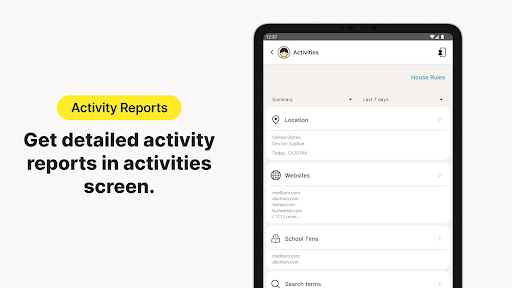
1. Detailed Activity Monitoring and Reports
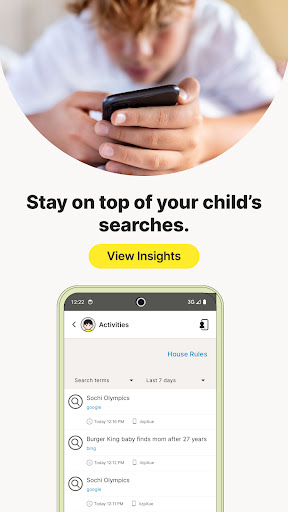
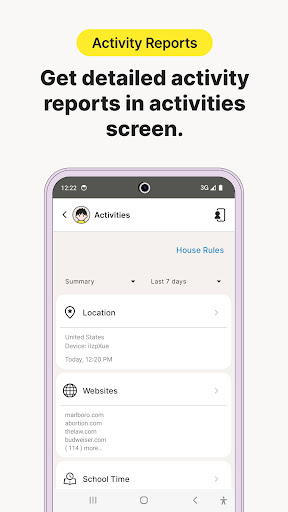
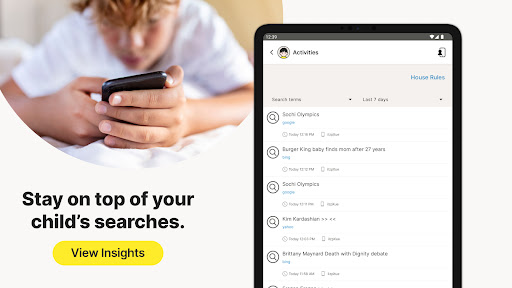
This feature acts like a digital diary, recording all online activities, including visited websites, search queries, and app usage. The reports are visually appealing—charts and graphs make complex data easy to understand at a glance. For parents, this transparency helps identify patterns or potential issues, such as excessive gaming or access to inappropriate content. The app also allows setting up alerts for specific activities, offering proactive insights rather than reactive concerns.
2. Smart Web Filtering and Content Regulation
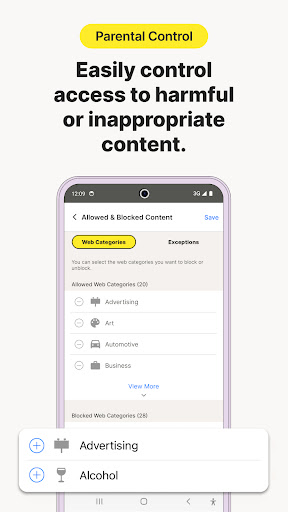
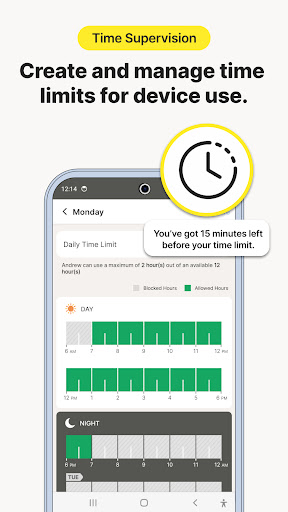
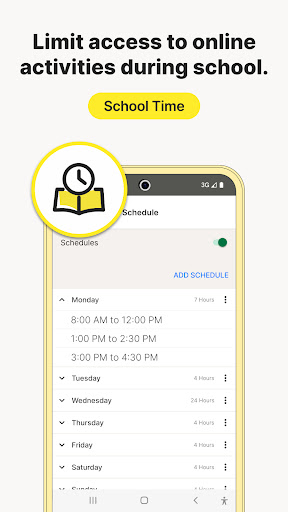
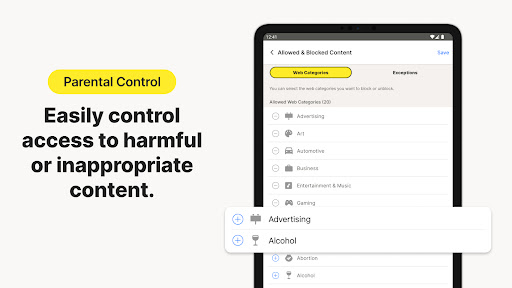
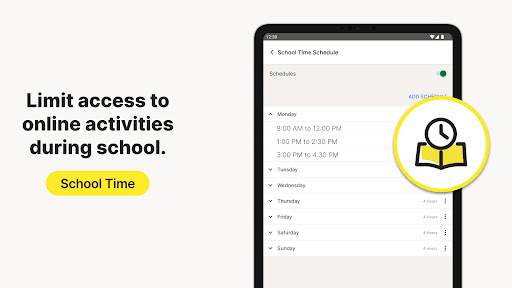
Think of this as a customizable gatekeeper—Norton Family provides a robust web filtering system that blocks inappropriate sites based on categories or specific URLs. Parents can tailor these settings for different devices or individual profiles, allowing flexibility as children grow and their needs evolve. The filtering is adaptive, thanks to its intelligent algorithms that can distinguish between safe and risky content, reducing false positives and ensuring children can access age-appropriate material seamlessly. Additionally, the app offers time-based restrictions, encouraging healthy online habits without feeling overly restrictive.
3. Growth Tracking and Learning Insights
This is where Norton Family truly stands out among the crowd. Unlike generic parenting apps, Norton offers in-depth growth tracking features that log device usage patterns over time and provide recommendations to promote balanced digital consumption. Based on credible research validated by child development experts, these insights help parents understand their child's digital journey and make informed decisions. It's like having a personal coach for tech habits, guiding both parents and children toward healthier screen time routines. This evidence-based approach enhances trust and ensures that parental controls are aligned with best practices in child safety and development.
Overall User Experience and Differentiation from Competitors
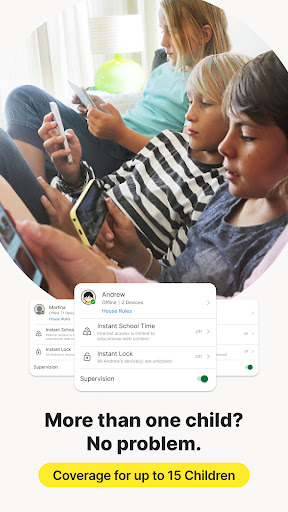
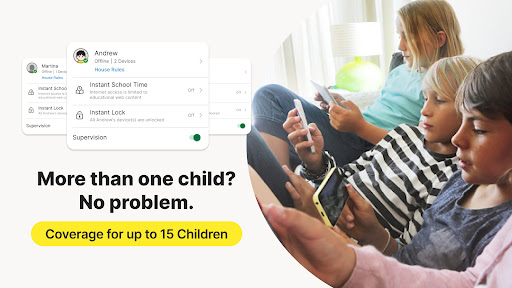
From the perspective of user experience, Norton Family excels by combining simplicity with powerful features. Setting up profiles and adjusting settings is akin to arranging a well-organized toolbox—everything is within reach, with minimal fuss. The app's responsiveness ensures that monitoring remains seamless, even when multiple devices are involved, which is crucial for modern families managing phones, tablets, and computers. The learning curve is gentle; parents unfamiliar with digital safety tools often find Norton Family welcoming and easy to master.
Compared to traditional parenting apps, Norton Family's standout features are its growth tracking and evidence-backed content credibility. Many competitors offer basic web filtering and time management but lack the depth of insights that help parents understand *how* their children engage with technology over time. By integrating expert validation and research into its growth recommendations, Norton provides a more holistic, trust-worthy approach. This makes it not just a monitoring tool but a partner in nurturing healthy digital habits.
Final Recommendations and Usage Tips
Overall, Norton Family Parental Control is highly recommended for parents seeking a balanced, trustworthy platform to supervise their children's online life. It is especially suited for families that prioritize data-driven insights and want an app grounded in credible research. For new users, starting with basic profile setups and gradually exploring reporting features can help ease into more advanced controls. Keep in mind that effective supervision combines technology with open communication; Norton Family provides the tools, but the human touch remains indispensable.
If you're looking for a parental control solution that's reliable, user-friendly, and backed by expert knowledge, Norton Family deserves serious consideration. It's like having a knowledgeable co-pilot guiding your journey through the digital landscape with confidence and care.
Pros
Comprehensive website filtering
Norton Family offers robust filtering options that effectively block inappropriate content across various web categories.
Real-time activity monitoring
Parents can view real-time browsing history and app usage, ensuring better supervision.
Location tracking and geo-fencing
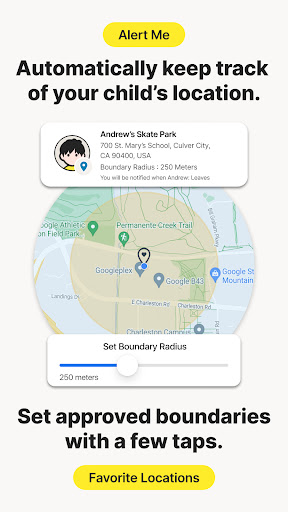
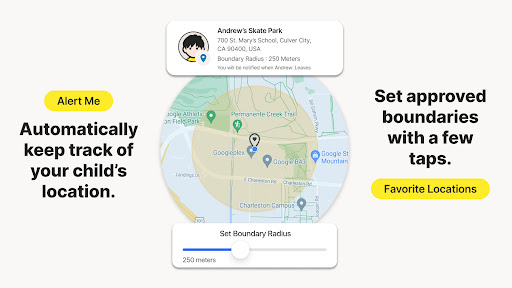
The app provides accurate location updates and customizable geo-fences for safer outdoor activities.
Time management features
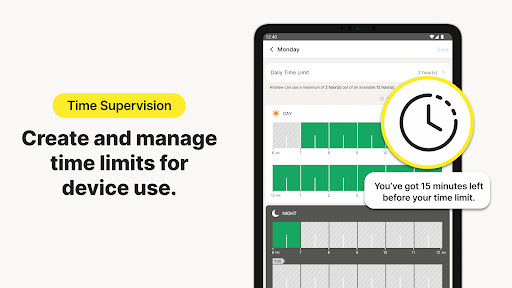
Allows setting daily screen time limits, helping children develop healthy digital habits.
User-friendly interface
The app's intuitive design makes it easy for parents to configure and monitor controls without technical difficulty.
Cons
Limited social media monitoring (impact: medium)
Currently, Norton Family lacks comprehensive features for monitoring specific social media activities, which could be improved in future updates.
Occasional false positives in content filtering (impact: low)
Some benign websites may be mistakenly blocked, requiring manual adjustment or whitelisting.
Requires continuous internet connection (impact: medium)
The app's functionalities depend on internet connectivity; offline monitoring is limited.
Limited device support for iOS (impact: low)
App features are more extensive on Android; some functions have limited access on iOS devices.
Initial setup can be time-consuming (impact: low)
Parents may need some time to properly configure all settings according to their preferences.
Norton Family Parental Control
Version 7.9.6.16 Updated 2025-08-06



















