

PRISM Live Studio: Games & IRL
PRISM Live Studio: Games & IRL App Info
-
App Name
PRISM Live Studio: Games & IRL
-
Price
Free
-
Developer
NAVER Corp.
-
Category
Video Players & Editors -
Updated
2026-02-04
-
Version
5.1.3
PRISM Live Studio: Games & IRL — A Dynamic Streaming Companion
PRISM Live Studio: Games & IRL is a versatile live streaming app designed to empower gamers and IRL content creators alike, seamlessly blending gameplay, real-life broadcasting, and interactive features into one platform.
Meet the Makers: Who's Behind PRISM?
Developed by Prism Live Studio Inc., a dedicated team committed to creating innovative streaming tools, this app builds upon the company's vision of enriching live broadcasts with cutting-edge multimedia capabilities. Their focus on user-friendly design and robust features makes PRISM a compelling choice for digital creators seeking flexibility and quality.
Key Features That Set PRISM Apart
- Unified Streaming Experience: Merges gaming and IRL content into a single platform, allowing creators to switch effortlessly between different types of broadcasts, making live sessions more engaging and varied.
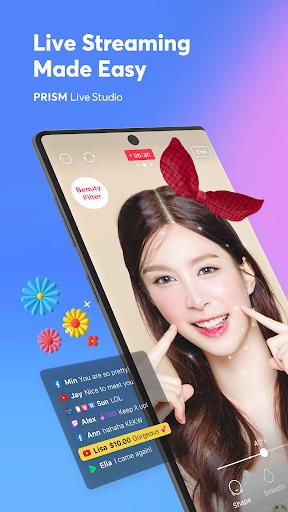
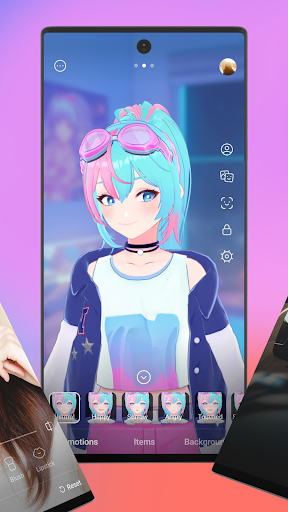
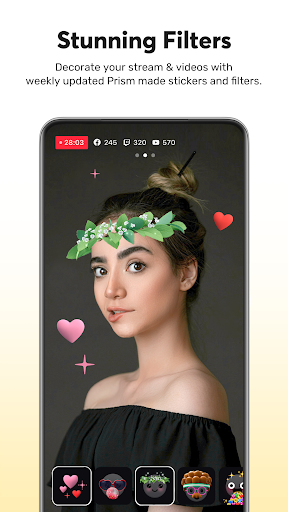
- Advanced Video & Audio Effects: Offers a plethora of real-time filters, transitions, and overlays that can be applied dynamically, giving streams a polished, professional look without complex editing tools.
- AI-Powered Content Enhancements: Utilizes AI to assist with scene switching, auto-captioning, and background blurring, reducing the workload on streamers and enhancing broadcast quality.
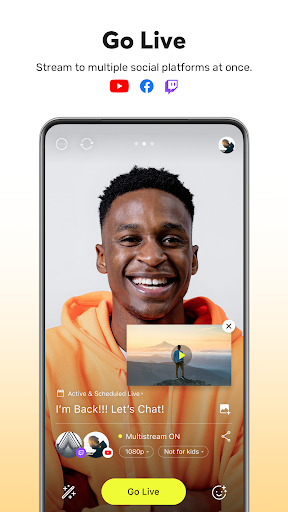
- Multi-Platform Compatibility: Stream directly to various social media channels simultaneously, with flexible settings tailored for each platform's specifications.
Making Streaming Feel Like a Breeze
Stepping into the interface of PRISM Live Studio is akin to entering a well-organized control room—everything is intuitively arranged, promising a smooth onboarding even for newcomers. The layout features clearly labeled icons and modular panels, enabling users to swiftly add overlays, switch scenes, or tweak audio settings without breaking a sweat. Transitions between live segments are swift, and the app's responsiveness ensures minimal lag, enhancing the overall user experience.
Interface and User Experience
The app's design adopts a sleek, modern aesthetic with vibrant icons that are easy to understand at a glance. The drag-and-drop functionality for adding effects and scenes simplifies content customization. Though rich in features, PRISM maintains a gentle learning curve; new users can quickly familiarize themselves with core tools while advanced creators will appreciate deeper customization options. Overall, the app strikes a balance between accessibility and sophistication, making live streaming accessible to a broader audience.
Unique Strengths: Why Choose PRISM?
When comparing with similar apps like Streamlabs or OBS Studio, PRISM's standout advantage lies in its AI-powered editing features and multi-format support. Its AI-driven auto-captioning and scene detection are particularly beneficial for creators who value efficiency and clarity. Additionally, the app's ability to handle multiple media formats seamlessly means streamers can incorporate a broader range of game footage, real-life videos, and multimedia content without compatibility concerns—saving time and effort.
Final Thoughts: Is PRISM Right for You?
If you're a streamer looking for an all-in-one solution that combines ease of use, professional effects, and smart AI tools, PRISM Live Studio is worth exploring. Its intuitive interface and innovative features make it suitable for both beginners aiming to grow their audience and seasoned creators seeking efficient workflows. While it may not replace full-fledged editing suites for post-production editing, it excels as a live broadcasting companion, especially for content that spans different styles and formats.
Overall, I'd recommend giving PRISM a try if your streaming needs align with its strengths—particularly its AI-assisted functionalities and multi-genre versatility. It offers a well-rounded platform that feels less like a generic tool and more like a creative partner in your live content journey.
Pros
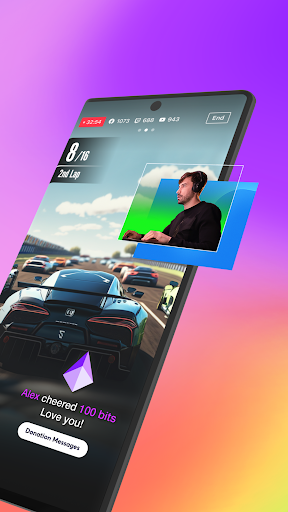
Seamless integration of live streaming and gaming features
Allows gamers to easily switch between streaming IRL content and gameplay without switching apps, enhancing user flexibility.
High-quality video streaming with low latency
Ensures smooth broadcast quality, reducing lag and enhancing viewer experience, ideal for fast-paced games and IRL content.
Built-in interactive tools and effects
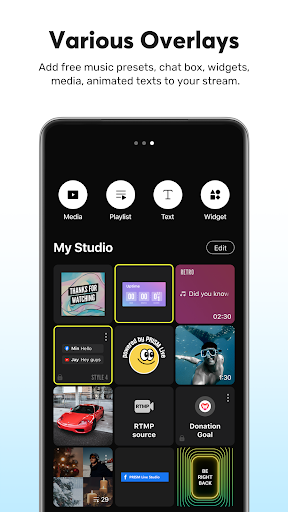
Provides various overlays, filters, and chat extensions that boost viewer engagement during streams.
Multi-platform support
Enables broadcasting to multiple social media platforms simultaneously, increasing reach and audience engagement.
User-friendly interface
Intuitive design makes it accessible for both beginners and experienced streamers, reducing learning curve.
Cons
Occasional app crashes during high-resolution streams (impact: medium)
Can disrupt live broadcasts but restarting the app often resolves the issue; future updates may improve stability.
Limited customization options for overlays (impact: low)
Current overlay tools are somewhat basic; users can suggest more features via app feedback channels.
High resource consumption on older devices (impact: medium)
Can lead to lag or overheating on older smartphones; closing background apps or lowering video quality can mitigate this.
Occasional delays in chat interactions (impact: low)
Minor latency issues in viewer chat feed; developers plan to optimize server performance in upcoming updates.
Limited options for monetization and monetization analytics (impact: low)
Currently, monetization tools are basic; official updates may include more integrated support and analytics.
PRISM Live Studio: Games & IRL
Version 5.1.3 Updated 2026-02-04



















