

QuickBooks Online Accounting





QuickBooks Online Accounting App Info
-
App Name
QuickBooks Online Accounting
-
Price
Free
-
Developer
Intuit Inc
-
Category
Business -
Updated
2026-02-02
-
Version
29.45.9+1
Streamlined Business Finances at Your Fingertips
QuickBooks Online Accounting is a cloud-based accounting solution designed to simplify financial management for small to medium-sized businesses. Developed by Intuit, a leader in financial software, it offers an intuitive platform that combines powerful tools with ease of use. Whether you're a seasoned accountant or a small business owner managing your books, this app seeks to make your financial life less daunting and more straightforward.
Key Features That Make a Difference
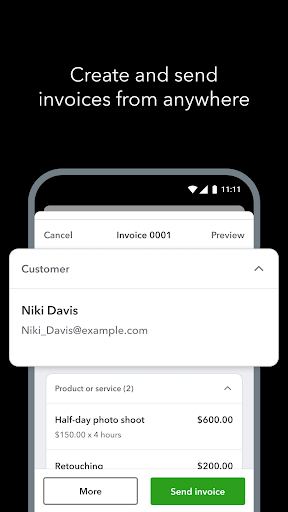
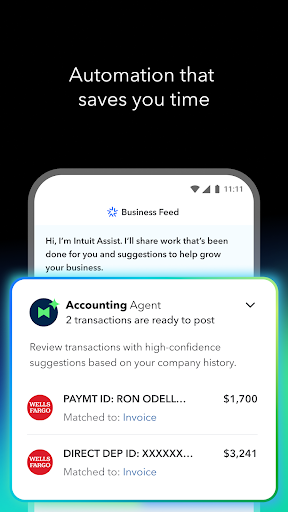
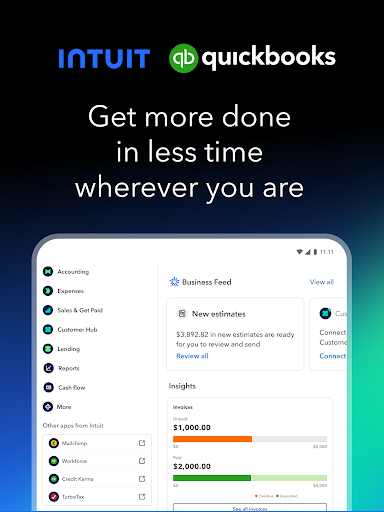
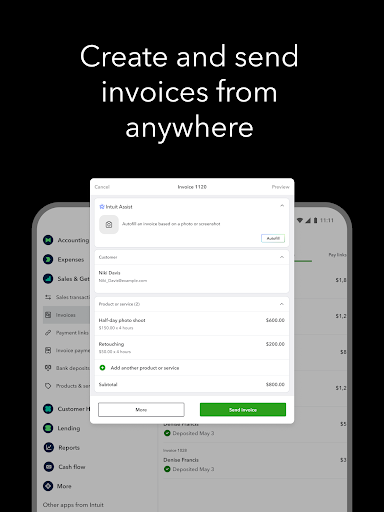
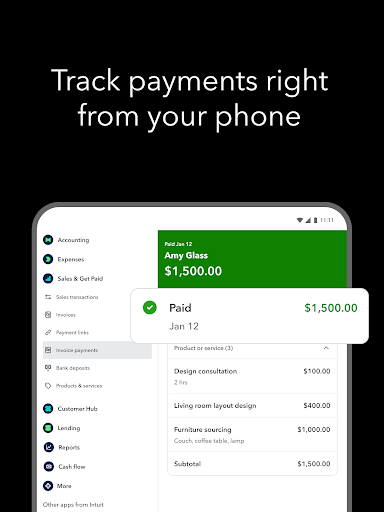
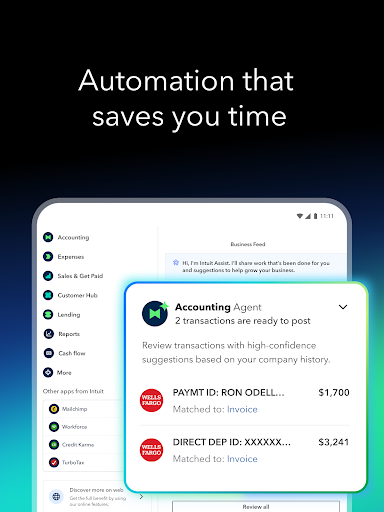
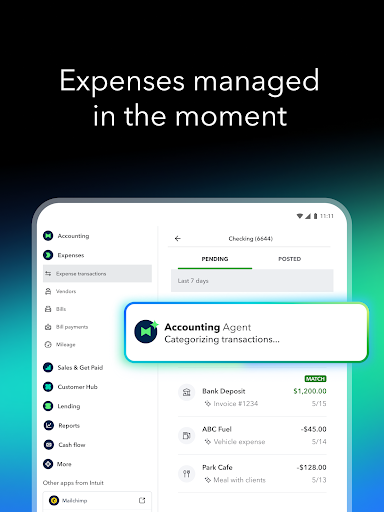
QuickBooks Online excels with its comprehensive set of features that bring clarity and efficiency to financial workflows. First, its real-time cloud access ensures your data is always up-to-date, allowing multiple users to collaborate seamlessly from different locations. Second, its automated transaction categorization and bank reconciliation capabilities save significant time and reduce errors. Lastly, the built-in invoicing and payment processing features streamline cash flow management, enabling businesses to get paid faster and keep cash flow healthy.
Vibrant Interface and User Experience
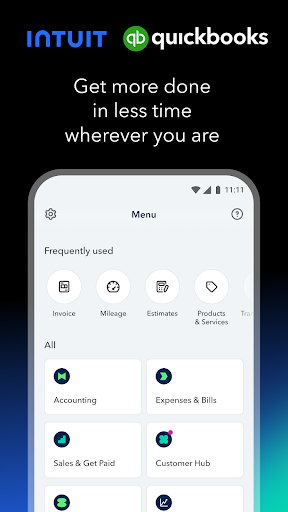
Imagine sitting in front of a well-organized dashboard that feels more like a dashboard of a modern car—clean, smooth, and easy to navigate. QuickBooks Online features a thoughtfully designed interface that balances visual appeal with practicality. The layout is logically structured, with intuitive menus and clear icons guiding users effortlessly through tasks like creating invoices or generating reports.
Operation flow is impressively smooth, thanks to responsive controls and minimal lag. The learning curve? While beginners might need some time to get familiar with all features, the app provides helpful tutorials and onboarding guides that ease new users into its environment. For experienced users, the efficiency gains are immediate, making complex tasks feel more manageable.
Unique Strengths: Collaboration and Task Management
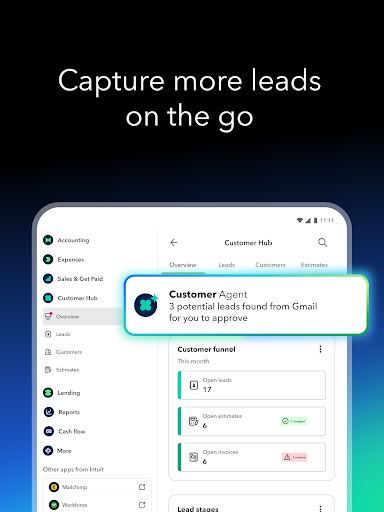
What truly sets QuickBooks Online apart from many other financial apps is its focus on collaboration. Unlike traditional accounting programs that can feel isolated, QuickBooks Online invites multiple team members to work within the same environment. Its collaborative work features enable accountants, bookkeepers, and business owners to seamlessly share insights, review transactions, and approve expenses—akin to a well-chaired roundtable discussion, just digital.
Additionally, the task management aspect—integrated into the workflow—allows users to assign, track, and complete routine financial tasks with ease. This helps teams stay aligned and keeps financial processes moving smoothly, which is particularly useful for businesses with distributed teams or when working with external accountants. These features promote transparency and accountability in a way that traditional desktop solutions often struggle to match.
Final Verdict: A Reliable Partner for Your Business Finances
Overall, QuickBooks Online Accounting stands out as a versatile, user-friendly, and collaborative cloud-based financial tool. Its standout features—particularly its real-time collaboration and integrated task management—make it an attractive option for small to mid-sized teams seeking efficiency and clarity in their financial operations. While there is a slight learning curve for complete beginners, the onboarding resources mitigate this hurdle effectively.
We recommend QuickBooks Online for businesses aiming to enhance their financial workflows, especially those who value teamwork and real-time data. If seamless collaboration and automation are high on your list, this app offers a compelling package worth exploring. Whether you're taking your first steps into digital accounting or seeking an upgrade from manual spreadsheets, QuickBooks Online is a trustworthy companion designed to simplify and elevate your financial management experience.
Pros
User-friendly interface
QuickBooks Online features an intuitive layout that simplifies navigation for new users.
Robust reporting tools
Offers comprehensive financial reports like profit and loss statements and balance sheets, aiding decision-making.
Cloud-based accessibility
Allows users to access their accounts securely from any device with internet connectivity.
Automated transaction categorization
Uses AI to automatically categorize expenses and income, saving time on manual entry.
Integration with payroll and payment systems
Seamlessly connects with payroll services and payment platforms like PayPal, enhancing workflow.
Cons
Limited customization options for reports (impact: medium)
Some users find the report templates inflexible; workarounds include exporting data to Excel for customization.
Occasional syncing delays with bank feeds (impact: low)
Bank transactions may sometimes take time to update; contacting support or manually importing can mitigate this.
Higher-tier plans can be costly for small businesses (impact: medium)
Affordable for larger enterprises but may strain small business budgets; considering plans carefully or using tiered features can help.
Limited inventory management features (impact: low)
Basic inventory tools are available; for advanced needs, integrating with dedicated inventory apps is advisable.
Learning curve for some advanced features (impact: medium)
New users may need time to master features like tax setup; tutorials and customer support can ease this process.
QuickBooks Online Accounting
Version 29.45.9+1 Updated 2026-02-02



















