

Salesforce Authenticator
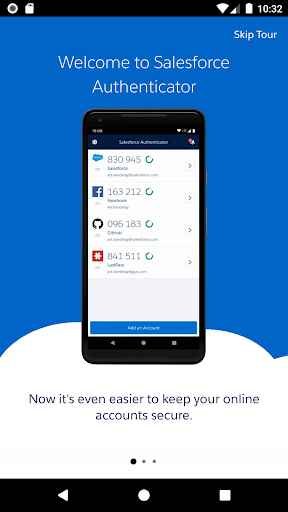
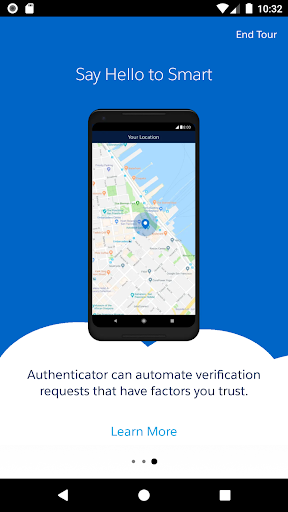
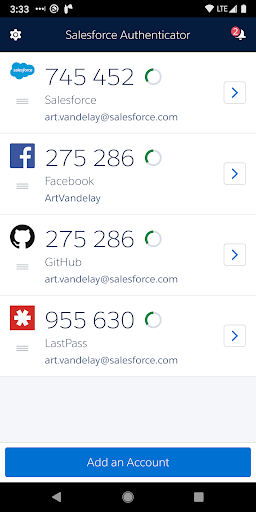
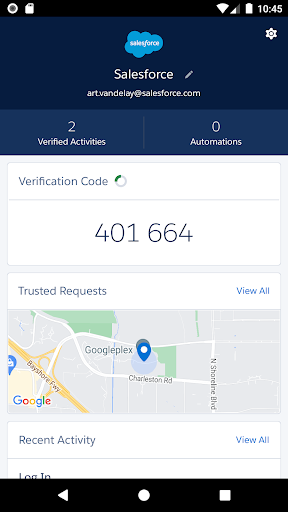
Salesforce Authenticator App Info
-
App Name
Salesforce Authenticator
-
Price
Free
-
Developer
Salesforce.com, inc.
-
Category
Business -
Updated
2025-09-23
-
Version
4.7.1
Salesforce Authenticator Overview: A Seamless Two-Factor Authentication Tool
Salesforce Authenticator is a security-focused mobile app designed to enhance user authentication processes, providing a reliable and straightforward way to verify identities in an increasingly digital world.
Developers Behind the App: Trustworthy Salesforce Innovation
Developed by Salesforce, a global leader in customer relationship management (CRM) solutions, this app benefits from the company's extensive experience in enterprise security and cloud technology, ensuring a robust and trustworthy authentication process.
What Makes Salesforce Authenticator Stand Out?
- Enhanced Security Layers: Implements time-based one-time passwords (TOTP) and push notifications for real-time verification.
- Seamless Integration: Easily connects with Salesforce platforms and other business applications to streamline login procedures.
- User-Friendly Interface: Designed for intuitive use, minimal learning curve even for non-tech-savvy users.
- Multi-Device Support: Synchronizes across multiple devices, ensuring users can authenticate securely anytime, anywhere.
Introduction: Why a Well-Designed Authenticator Matters
Imagine entering a high-tech vault—securely locked but effortlessly accessible to authorized personnel. That's precisely the role Salesforce Authenticator aims to fulfill in your digital security landscape. With cyber threats evolving at lightning speed, a dependable two-factor authentication (2FA) app is akin to a vigilant security guard—quiet, reliable, and always on duty. Whether you're a busy professional managing sensitive customer data or an enterprise safeguarding proprietary information, this app promises to be your trusted partner in secure access.
Core Features Deep Dive: Security, Convenience, and Integration
Biometric-Enabled Verification: Security Meets Simplicity
The app leverages biometric methods such as fingerprint or facial recognition to simplify the verification process. Instead of fumbling through one-time codes, users can authorize login with a quick tap or glance—making security both robust and user-friendly. This feature reduces friction for users while maintaining high security standards, akin to having a padlock that unlocks with your fingerprint rather than a key.
Push Notification Authentication: Instant and Hands-Free
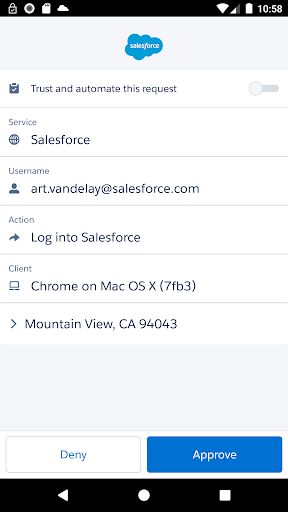
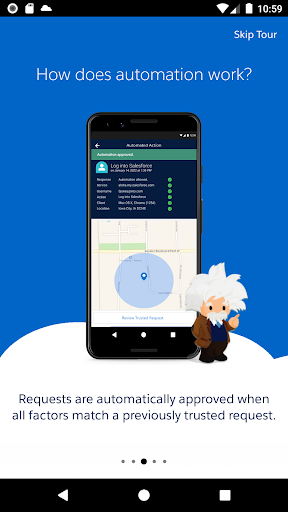
When a login attempt occurs, Salesforce Authenticator sends a push notification directly to your device. With a simple tap—approve or deny—you control access in real time. This method not only speeds up the login experience but also minimizes the risk of phishing, because you're actively consenting to each attempt. Think of it as your digital security guard giving a thumbs-up or down—simple, immediate, and effective.
Easy Integration & Multi-Platform Support: A Unified Security Ecosystem
The app seamlessly integrates with Salesforce's suite of products, but its versatility doesn't end there. It supports standard protocols such as OAuth and TOTP, allowing integration across various enterprise systems. Multi-device support means you can synchronize authentication methods across your smartphone, tablet, or even your desktop, much like having a universal key that fits all your doors—creating a cohesive security environment.
User Experience: Smooth Sailing in the Digital Seas
From the moment you download Salesforce Authenticator, the interface feels thoughtfully designed—clean, uncluttered, and intuitively navigable. Setting up the app is straightforward: scan a QR code, verify your device, and you're ready to go. During daily use, authentication requests pop up predictably, and approving or denying them is just a tap or touch. The app responds swiftly, without lag or confusing prompts, making it accessible even for tech newcomers. Its learning curve is gentle—once set up, it becomes an almost invisible but vital part of your digital routine.
Differentiating from Competitors: Collaboration and Task Management in Security
Unlike some enterprise authentication apps that focus solely on security, Salesforce Authenticator subtly incorporates features tailored for collaborative work environments. For instance, it supports multi-user setups where approvals can be delegated or shared among team members, akin to a digital security team huddling over access permissions. While many authenticator apps emphasize one-way verification, Salesforce's integration with the Salesforce ecosystem allows for contextual prompts—like confirming a multi-step purchase or access request—adding a layer of collaborative oversight. This approach transforms the app from a simple gatekeeper into a facilitator of secure teamwork, streamlining workflows without compromising security.
Final Verdict: A Recommended Security Companion
All in all, Salesforce Authenticator earns high marks for its security robustness, seamless user experience, and enterprise-friendly integrations. Its standout features—biometric verification and push notification approvals—are particularly noteworthy, making everyday authentication both safer and more convenient. For organizations already using Salesforce platforms or seeking a reliable 2FA solution that doesn't complicate workflows, this app is a solid choice. For individual professionals concerned about straightforward security, it's also a helpful tool, though it shines brightest within the Salesforce ecosystem. I'd recommend it especially to businesses striving to enhance their security layers with minimal fuss—think of it as a dependable digital lock tailored for the modern enterprise. Just remember, like all security tools, the best results come from pairing it with comprehensive organizational security practices.
Pros
Ease of Use
The app offers a straightforward interface that simplifies two-factor authentication setup and management.
Strong Security Measures
Supports time-based one-time passwords (TOTP) with encryption, enhancing user account security.
Seamless Integration
Designed to perfectly integrate with Salesforce and other compatible services, streamlining workflows.
Offline Functionality
Generates authentication codes without internet access, ensuring continuous usability.
Regular Updates
Frequent maintenance and updates improve stability and introduce new features based on user feedback.
Cons
Limited Compatibility (impact: Medium)
Primarily optimized for Salesforce, which may limit use with other apps or services without additional configuration.
No Biometric Support (impact: Low)
Currently lacks biometric authentication options like fingerprint or facial recognition for quick access; users will rely on PINs or passwords.
No Cloud Backup Feature (impact: High)
User data isn't automatically backed up to the cloud, so losing access to the device can require re-setup; official backup solutions are in development.
Device Compatibility Limitations (impact: Low to Medium)
Some older devices or operating systems may face compatibility issues or limited performance.
Initial Setup Complexity (impact: Low)
New users might find initial configuration slightly complex, especially when linking with multiple accounts; official tutorials can assist.
Salesforce Authenticator
Version 4.7.1 Updated 2025-09-23



















