

UC Browser-Safe, Fast, Private
UC Browser-Safe, Fast, Private App Info
-
App Name
UC Browser-Safe, Fast, Private
-
Price
Free
-
Developer
UCWeb Singapore Pte. Ltd.
-
Category
Communication -
Updated
2026-02-02
-
Version
Varies with device
Introducing UC Browser - A Fast, Private, and Secure Mobile Browser
UC Browser is a widely-used mobile web browser offering a blend of speed, privacy, and user-friendly features, designed for users seeking efficient and safe browsing experiences on their devices.
Who Developed It and What Are Its Main Highlights?
The app is developed by UCWeb, a subsidiary of Alibaba Group, renowned for their focus on innovative internet products. UC Browser's core strengths include quick download speeds, robust privacy features, an optimized browsing interface, and media download support, all tailored to serve users who value both efficiency and security. Its target audience primarily consists of mobile users worldwide who require reliable internet access, faster browsing, and secure online activities without sacrificing user convenience.
A Fun and Engaging Journey into UC Browser
Imagine you're navigating a bustling world of the internet, where every click promises a swift journey and your privacy is your trusted shield. UC Browser stands out as your savvy guide—speeding through web pages like a sports car on an open highway, all while maintaining a private lane that only you can access. Whether you're scrolling through social media, streaming videos, or downloading files, this browser aims to make every step smooth and secure.
Core Features Explored: Speed, Privacy, and Media Support
Blazing Speed and Efficient Performance
One of UC Browser's standout features is its impressive page loading speed, thanks to advanced data compression technology. Picture this: even on sluggish or congested networks, your browsing feels like a swift, effortless glide. The browser optimizes data transfer intelligently, reducing load times without sacrificing content quality. This feature makes it perfect for users who frequently browse on mobile data or in areas with unstable internet connections, ensuring that you get what you want quickly and with minimal fuss.
Enhanced Privacy and Security Measures
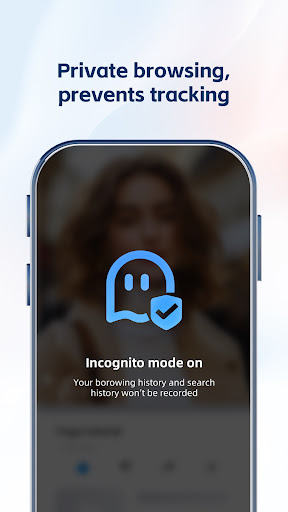
In an era where digital privacy is increasingly vital, UC Browser provides multiple safeguards to keep your activities discreet. It includes private browsing modes, ad-blocking functionalities, and encrypted data transmission, which collectively act like a personal vault for your online footprint. While it doesn't claim to be an ultimate anonymity tool, its privacy features are well-suited for everyday browsing, giving users peace of mind that their data isn't easily tracked or compromised.
Media Sharing and Download Support
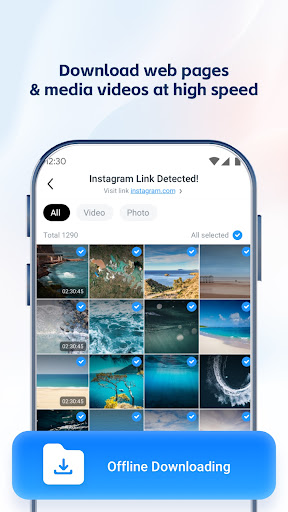
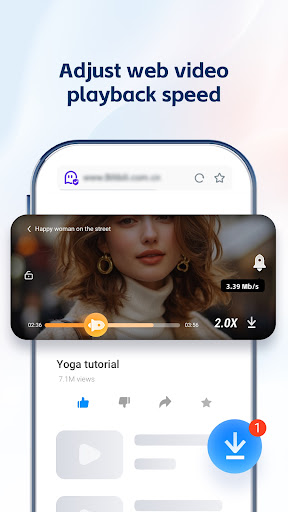
Beyond mere browsing, UC Browser excels at media management—allowing seamless sharing and downloading of videos, images, and music. Imagine watching an interesting clip and being able to download it in one tap, then share it instantly with friends—all without navigating away from your current activity. Its media download support is notably fast and reliable, making it a favorite among users who consume and share multimedia content regularly. This feature adds a layer of convenience that sets it apart from many competitors.
User Experience and Differentiation from Peers
When it comes to interface design, UC Browser adopts a clean and intuitive layout, akin to an organized workspace that invites exploration. Its minimalist design ensures that users can quickly locate essential functions without being overwhelmed. The operation is notably smooth—swiping, tapping, and scrolling feel natural, with quick responsiveness that minimizes delays. The learning curve is gentle, making it user-friendly even for newcomers or those switching from other browsers.
What truly sets UC Browser apart from similar browsing apps is its ability to combine speed with privacy without bogging down the user experience. For instance, unlike some browsers that prioritize either performance or privacy but struggle to deliver both simultaneously, UC Browser achieves a balanced integration. Its media sharing and download features are optimized for reliability—your favorite videos or images are just a tap away, and downloads proceed smoothly without interruption or long waiting times. Moreover, its data compression not only speeds up browsing but also conserves bandwidth—a thoughtful touch for users in data-restricted environments.
Final Recommendations and Usage Tips
Overall, UC Browser is a solid choice for users seeking a browser that emphasizes speed, privacy, and media support. Its standout features, such as advanced data compression and robust media download capabilities, make it particularly appealing for multimedia lovers and users with inconsistent network access. While it may not replace more specialized privacy tools for highly sensitive activities, it offers a reliable, efficient browsing experience suitable for daily use.
If your daily routine involves quick searches, media consumption, and keeping your browsing private, UC Browser is worth trying. For advanced privacy needs, combining it with other security tools is advisable. But as a versatile and user-friendly browser, it deserves a spot on your mobile device—offering speed and privacy wrapped in an accessible package.
Pros
Fast browsing speed
UC Browser optimizes loading times through data compression, providing a smooth browsing experience even on slower networks.
Strong privacy features
It includes a built-in video downloader and incognito mode to enhance user privacy and content management.
User-friendly interface
The app offers a clean, intuitive layout with customizable themes, making navigation easy for all users.
Data saving capabilities
Data compression reduces bandwidth usage, beneficial for users with limited mobile data plans.
Additional features
Includes features like ad-blocking and customizable gestures, enhancing overall browsing convenience.
Cons
Privacy concerns (impact: high)
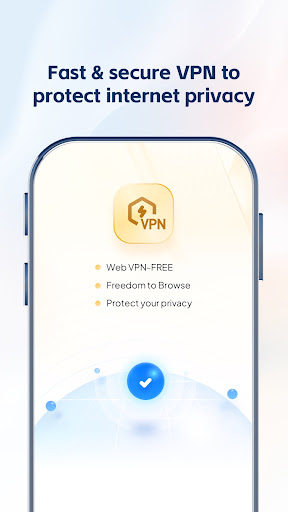
Some users worry about data collection practices, which may involve sharing browsing data with third parties. Temporarily, users can disable some features or use VPNs until official updates improve privacy policies.
Occasional crashes or slow responsiveness (impact: medium)
Some users report app crashes under heavy multitasking or resource-intensive pages. Restarting the app or clearing cache can mitigate this issue temporarily.
Limited extension support (impact: low)
Compared to desktop browsers, UC Browser's extension ecosystem is sparse, which may limit customization options. Official plans to expand extensions could address this in future updates.
Battery consumption (impact: medium)
Certain features, like video downloading, can increase power usage. Users can disable such features when on battery saver mode to prolong device life.
Potential for intrusive ads (impact: low)
Some versions include ads that may disrupt browsing experience. Using the built-in ad blocker or upgrading to premium can mitigate this problem.
UC Browser-Safe, Fast, Private
Version Varies with device Updated 2026-02-02


















