

YouCam Video Editor & Retouch

YouCam Video Editor & Retouch App Info
-
App Name
YouCam Video Editor & Retouch
-
Price
Free
-
Developer
Perfect Mobile Corp.
-
Category
Video Players & Editors -
Updated
2026-02-08
-
Version
1.59.3
Introducing YouCam Video Editor & Retouch: Your All-in-One Video Companion
YouCam Video Editor & Retouch is a versatile mobile application designed to bring professional-grade editing and beautification tools directly to your fingertips. Whether you're a casual content creator or an aspiring influencer, this app aims to simplify the editing process while delivering stunning results.
Developed by a Dedicated Creative Team
Created by CyberLink, a reputable software company known for their multimedia products, YouCam Video Editor & Retouch benefits from years of expertise in video and photo editing technology. Their team emphasizes intuitive design and innovative features to provide an accessible yet powerful editing experience.
Key Features That Make a Difference
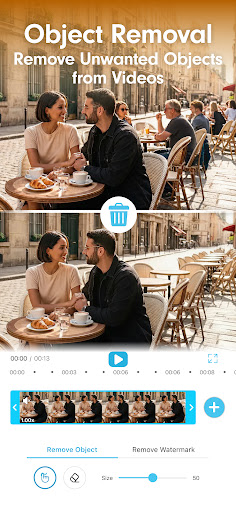
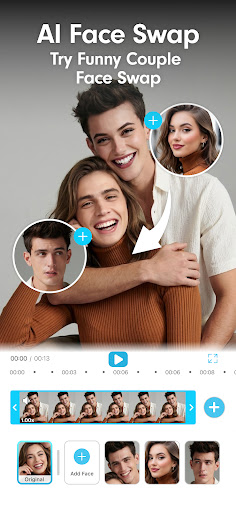
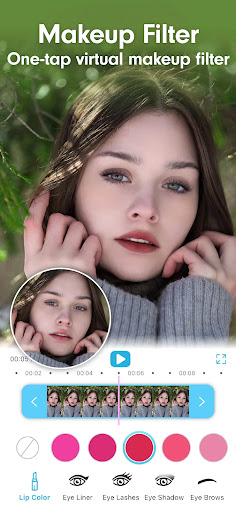
- AI-Powered Beautification: Advanced AI algorithms allow users to effortlessly enhance facial features, smooth skin, and apply natural-looking retouching, making every shot appear polished without extensive manual adjustments.
- Cross-Format Compatibility: Supports numerous video formats, enabling users to import and export content seamlessly across different devices and platforms—ideal for creators juggling diverse media types.
- Intuitive Touch-Based Editing Tools: A wide array of user-friendly editing options such as trimming, filters, transitions, and effects, all optimized for touch gestures, ensuring a smooth workflow even for beginners.
- Customizable Effects & Templates: Offers a rich library of effects, overlays, and templates to inspire creativity and ensure your videos stand out.
In-depth Review of the User Experience and Core Functionalities
Imagine opening an app that feels like a friendly assistant, guiding you through the creative process with ease. YouCam Video Editor & Retouch greets you with a clean, thoughtfully organized interface that balances simplicity and depth. The design employs soft pastels and neatly labeled icons, making navigation intuitive even for first-time users. Responsive and snappy, the app responds instantly to touch gestures, promising a glitch-free editing journey—think of it as gliding effortlessly across a well-paved road.
Seamless Interface and Learning Curve
For newcomers, the learning curve is gentle. Most features are accessible within a few taps, and tutorials or tooltips can help clarify more advanced options. Veteran editors will appreciate the depth of control and the ability to fine-tune edits at every stage. In short, whether you're making quick social clips or detailed productions, the app adapts to your pace and needs.
Core Feature Analysis: The Heart of the App
AI Beautification: Your Virtual Makeover Artist
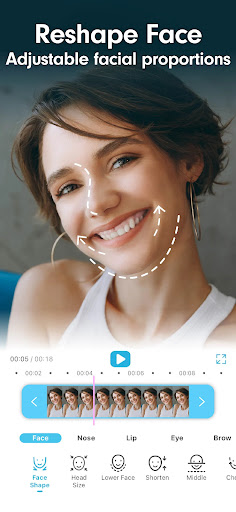
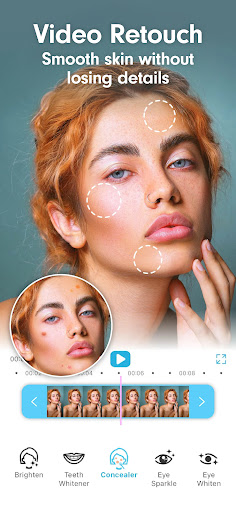
The standout feature of YouCam Video Editor & Retouch is its AI-powered beautification. Unlike traditional filters that impose generic looks, this tool analyzes facial structures to produce natural enhancements—smoothing out skin imperfections, brightening eyes, or subtly reshaping features. It's like having a professional retoucher sitting beside you, ready to craft polished images with minimal effort. This feature is especially appealing for social media enthusiasts seeking quick yet impressive results, making it a real time-saver without sacrificing quality.
Video Format Compatibility & Editing Flexibility
Supporting an extensive range of formats—from MP4 and MOV to AVI—this app ensures your videos, regardless of origin, can be imported without fuss. This flexibility sets it apart from many competitors that lock you into proprietary formats. Whether you're editing footage recorded on high-end cameras or smartphone clips, the app preserves quality and offers straightforward export options compatible with various platforms, including TikTok, Instagram, or YouTube. This cross-format support makes your editing process smoother, more accessible, and less frustrating.
Additional Tools & Creative Templates
Beyond basic editing, the app offers customizable effects and templates that mirror professional presets. These templates help users achieve aesthetically cohesive videos quickly—think of them as palettes for painters, providing inspiration and a jumpstart to creativity. From vintage looks to modern glitch effects, it's easy to experiment and craft videos that look intentionally styled and polished.
Final Thoughts and Recommendations
In summary, YouCam Video Editor & Retouch is a compelling choice for anyone looking to create vibrant, professional-looking videos with minimal hassle. Its strongest suits lie in its AI-driven beautification and versatile format support, which cater to both amateur and semi-professional creators. The interface and workflow are thoughtfully designed, making complex edits approachable for newcomers while retaining depth for seasoned editors.
We recommend this app especially if you prioritize natural retouching combined with flexible format handling in your editing toolkit. For users who want quick results, its preset templates and AI features will feel like having a personal editing assistant. Overall, it's a solid and approachable option—definitely worth trying for those interested in elevating their video content without diving into complicated software.
Pros
Intuitive User Interface
The app offers an easy-to-navigate interface suitable for both beginners and experienced editors.
High-Quality Retouch Features
Advanced tools like skin smoothing and blemish removal produce professional-looking results.
Comprehensive Video Editing Tools
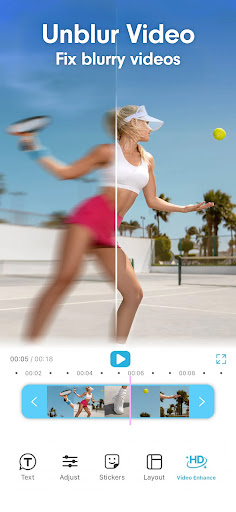
Includes features such as trimming, filters, and text overlays, enhancing creative flexibility.
Real-Time Preview
Allows users to see edits instantly, optimizing workflow and minimizing errors.
Frequent Updates and Improvements
The developers regularly enhance functionality and fix bugs, improving user experience.
Cons
Limited Free Features (impact: medium)
Many advanced tools are behind a paywall, requiring purchase for full access.
Export Options Could Be Expanded (impact: low)
Currently, export formats are somewhat restricted; adding options like GIF or different resolutions could be beneficial.
Occasional Performance Lag on Older Devices (impact: medium)
Some users experience lag or crashes, especially on outdated hardware; temporary solutions include reducing app quality settings.
Watermark in Free Version (impact: high)
The free version inserts a watermark on videos, which users must remove by subscribing.
Learning Curve for Advanced Features (impact: low)
New users might find some tools complex; official tutorials or guided tutorials could mitigate this issue.
YouCam Video Editor & Retouch
Version 1.59.3 Updated 2026-02-08



















