

Unlocking Creativity with AR Trace Sketch: An In-Depth Review
Imagine seamlessly blending real-world environments with your artistic ideas — AR Trace Sketch offers a compelling pathway to do just that, making augmented reality a powerful tool for sketching and design. Developed by a dedicated team aiming to bridge physical space and digital artistry, this app stands out as a versatile companion for both professionals and hobbyists looking to elevate their creative processes. Its standout features include intuitive AR-based sketching, real-time object tracing, and interactive tutorials. Tailored for artists, designers, students, and anyone eager to experiment with spatial creativity, AR Trace Sketch promises a dynamic canvas that moves beyond traditional screens.
Immersive AR Sketching: Drawing Comes to Life in Your Space
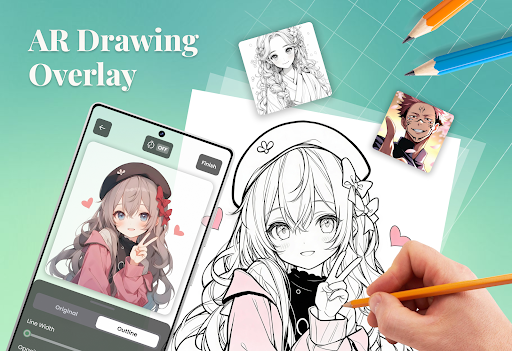
The core appeal of AR Trace Sketch lies in its ability to transform your environment into an expansive canvas. Using your device's camera, the app overlays digital sketches onto physical surfaces, allowing you to draw directly onto walls, tables, or any real-world object. Picture turning your living room wall into a giant sketchpad or visualizing architectural ideas right where they belong. The digital brushstrokes feel surprisingly natural, with customizable tools to emulate pencils, markers, or paintbrushes. The augmented reality aspect immerses you in a space where ideas are no longer confined to a flat screen, providing a tactile and spatially aware drawing experience.
Advanced Object Tracing: Bridging Reality and Design Seamlessly
One of the most striking features distinguishing AR Trace Sketch is its intelligent object recognition and tracing capability. Simply point your device at an object—a piece of furniture, a product prototype, or even a sculpture—and the app captures its contours in real-time. You can then trace, modify, or annotate the object directly within AR, making it a perfect tool for designers and illustrators working on conceptual sketches or annotations. This feature effectively transforms physical objects into digital templates, reducing the need for manual measurements or complex modeling—and all in a matter of seconds, with remarkable accuracy.
User Interface and Experience: Friendly, Fluid, and Intuitive
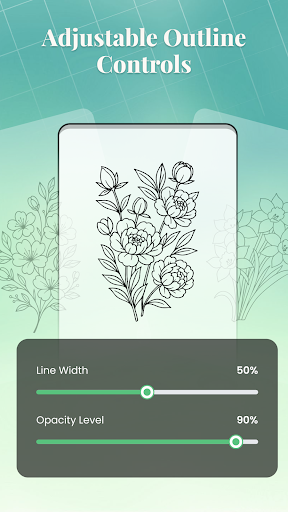
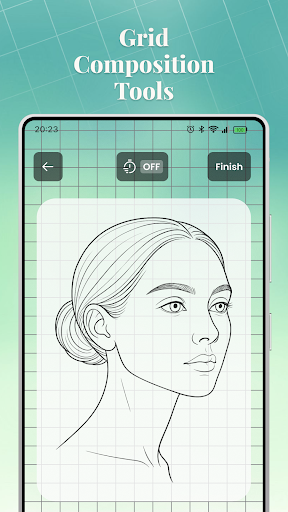
From an ergonomic perspective, AR Trace Sketch offers a user interface that's both sleek and approachable. Its layout channels the creative flow without overwhelming the user, featuring simple icons and clear menus. The drawing tools respond smoothly to finger gestures, and the app's responsiveness ensures minimal lag, which is crucial when working with real-time AR overlays. The learning curve is gentle—beginners quickly get comfortable experimenting with different brushes and tracing techniques. For more experienced artists, customizable settings and layered workspaces provide the depth needed for detailed projects. Overall, the app manages to strike a fine balance between sophistication and ease of use, inviting users to dive right in without a steep initial hurdle.
Unique Selling Points and Differentiation
Compared to traditional sketching apps or AR environments, AR Trace Sketch's standout advantage is its combination of spatial awareness with intelligent object recognition. Many AR applications focus solely on overlaying images or tracking gestures; few integrate object tracing with such precision and immediacy. This makes it particularly useful for fields like product design, interior decoration, or conceptual art—where translating physical details into digital sketches can streamline workflows significantly. Its ability to operate in real-world contexts, capturing and modifying physical objects directly, sets it apart from more abstract or purely screen-based drawing tools. This spatial and object-based approach offers a bridge from idea to prototype that's both intuitive and efficient.
Final Verdict: A Creative Assistant Worth Embracing
All things considered, AR Trace Sketch warrants a strong recommendation for users seeking to bring a new dimension to their creative toolbox. While it's not yet a replacement for professional CAD software or detailed digital painting, its innovative use of AR and object tracing makes it a compelling choice for prototyping, educational use, or casual experimentation. Beginners will appreciate its straightforward interface, while seasoned artists and designers will find deep enough features to incorporate into their workflows. For those eager to explore spatial drawing and dynamic visualization, this app offers a stimulating and practical environment. Giving it a solid thumbs-up, I suggest trying AR Trace Sketch for any project that benefits from blending the physical with the digital—a true window into the future of creative design.