
The Banking App That Finally Feels Like a Helpful Friend
Let's be honest—most banking apps are about as exciting as reading a terms-and-conditions page. They work, sure, but they feel cold, clunky, and designed by someone who's never actually tried to pay a rent check while standing in a crowded subway. Then there's Chase Mobile. It's not flashy, but it's the kind of app that quietly makes your financial life easier, like a reliable friend who always remembers to split the bill. I've been using it for months across two different accounts, and I'm here to give you the no-nonsense, friendly breakdown you'd want before hitting “Download.”
What Is Chase Mobile, Really?
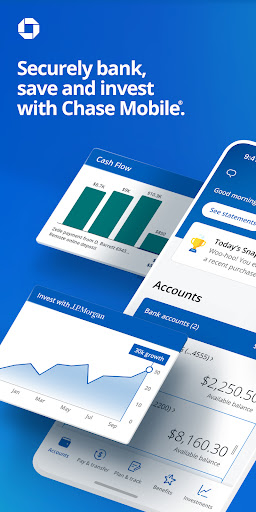
Chase Mobile is a full-service banking app from JPMorgan Chase, designed to manage checking, savings, credit cards, and investments from one clean dashboard. Its standout features include mobile check deposit with instant confirmation, real-time transaction alerts, Zelle integration for peer-to-peer payments, and a surprisingly powerful budgeting tool called “Spending Insights.” The target audience? Anyone with a Chase account—from college students tracking their first paycheck to busy families juggling mortgages and credit card rewards. But here's the kicker: if you're not a Chase customer, the app still worth knowing about, because it sets a benchmark for what mobile banking should feel like.
First Impressions: Smooth as a Fresh ATM Slip
Open the app, and you're greeted by a clean, card-based layout that feels more like a sleek fintech startup than a legacy bank. The home screen shows your account balances at a glance, with a big “Move Money” button that's impossible to miss. No endless menus, no buried features. The navigation bar at the bottom—Home, Payments, Accounts, and More—is exactly where your thumb expects it to be. Animations are subtle, and the entire app responds to your touch with near-zero lag on both iPhone and Android. Learning curve? Honestly, if you can swipe a dating app, you can use this. I had my mortgage payment scheduled within two minutes of logging in, and I didn't need to Google a single thing.
Core Feature One: Spending Insights That Actually Make Sense
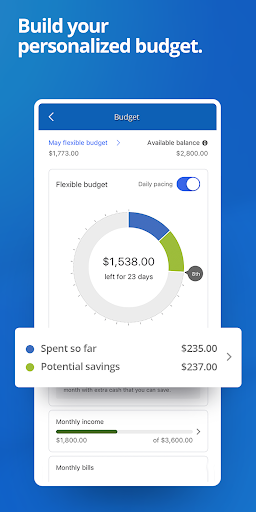
Most banking apps show you transactions. Chase Mobile goes a step further with its automated spending categories—think “Groceries,” “Dining,” “Utilities”—that update in real time. But the magic is in the weekly summary. Every Monday, you get a gentle notification: “You spent 12% less on takeout this week.” It's not a guilt trip; it's a friendly pat on the back or a nudge, depending on your habits. The best part? You can tap any category to see a colorful bar chart, and even set a budget. When you're about to blow your coffee budget, a subtle warning appears—not a red alert, just a “You're at 85% of your budget here.” It feels like a personal accountant who respects your autonomy, not a nagging parent.
Core Feature Two: The Security That Feels Like a Bank Vault with a Skylight
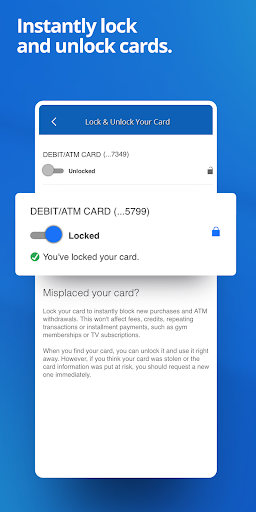
Here's where Chase Mobile differentiates itself from fintech rivals like Cash App or Venmo. The app allows you to lock and unlock your debit card instantly from your phone, right on the home screen. Lost your wallet in a cab? Thumbprint tap, card locked, problem solved. But the more underrated feature is “Transaction Review.” Every purchase over $5 gets flagged with a fuzzy icon you can tap to “confirm or dispute.” It's not annoying—it's a quick two-tap process. And for larger purchases, the app sends a push notification asking, “Did you just spend $300 at Best Buy?” You can approve or decline in one tap. This “human verified” layer, combined with standard biometric login and encryption, makes you feel like you have a watchful but polite bodyguard. For families with shared accounts, you can even set spending limits and get alerts when your teenager swipes their card—without calling them out in the moment.
The Transaction Experience: Where “Okay” Becomes “Oh, Nice!”
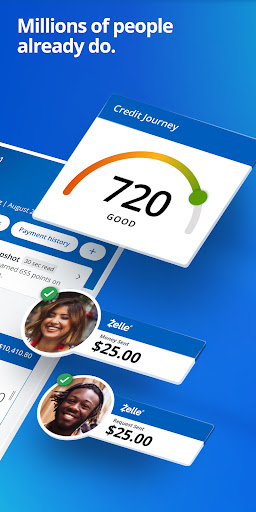
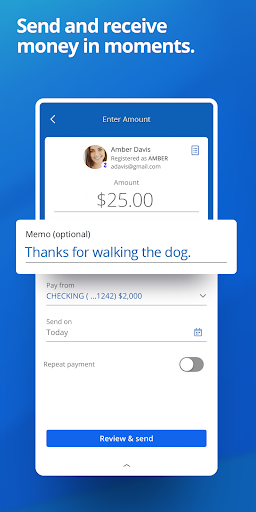
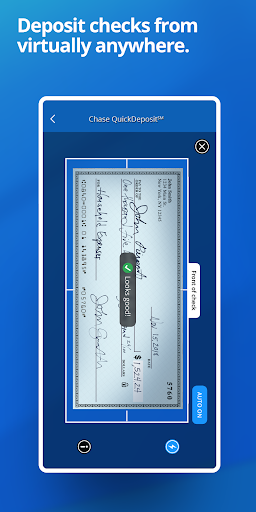
Let's talk about moving money. Chase Mobile's Zelle integration is the fastest P2P transfer I've used—faster than Venmo or PayPal, because it's directly linked to the bank's rails. Transfers between Chase accounts are instant and free, and external transfers (to a different bank) usually land within one business day, not three. The “QuickDeposit” function for checks is genuinely impressive: snap a photo, and a green checkmark appears within seconds, with funds available almost immediately (up to $5,000 for verified accounts). No “pending” limbo for days. The only minor hiccup? The app's “Pay Bills” feature has a slightly dated interface for setting up new payees—it's not bad, just not as polished as the rest. But once a payee is set up, it's worry-free.
What Makes Chase Mobile Stand Out from the Crowd
Compared to apps like Bank of America's or Wells Fargo's, Chase Mobile wins on two fronts: security transparency and speed of reconciliation. First, the “Security Center” gives you a literal dashboard showing all active devices, recent logins, and a list of any “hidden” cards. You can revoke a device in two taps—something that takes several calls on other bank apps. Second, the “Instant Card Lock” plus “Transaction Review” combo is a killer feature that most apps either bury deep in settings or don't offer at all. For example, with Capital One's app, you can lock a card, but you don't get the two-tap “did you really make this purchase?” prompt that Chase does. It's a small difference, but it nukes the anxiety of unauthorized charges.
The Verdict: Should You Download It?
If you're a Chase customer, this is a no-brainer—it's the best mobile banking experience among the big US banks, period. If you're not, the app alone doesn't justify switching, but it's worth noting that Chase's checking account often comes with a $300 sign-up bonus and zero monthly fees if you have direct deposits. My advice: try it with a new checking account just for the mobile check deposit speed and the spending insights. My only suggestion for improvement? The app's internal search tab could be smarter—typing “rent” doesn't always show the right transaction history—but that's a nitpick. On a scale of 1 to 10, I'm giving Chase Mobile a solid 8.5/10. It's not perfect, but it's the first banking app I've used that doesn't make me dread checking my balance.