Meet Your New Personal Sonar
Imagine standing in your kitchen, running late, and your phone has vanished into the sofa dimension for the fifth time this week. You could tear the house apart, or you could simply clap your hands twice and let the room do the hunting. That's the premise of Clap2Find: Lost? Clap!—a utility app that turns your phone into a bat-like echo locator, minus the echolocation headaches. Developed by a small team of audio engineers and UX specialists who clearly know the pain of misplacing things, this app promises to find your lost device using nothing but a clap and your phone's microphone array. It doesn't replace a Bluetooth tracker, but for those frantic 30‑second searches, it might just be the cleverest trick your smartphone has ever learned.
What Exactly Is Clap2Find?
One‑line positioning
A software‑based acoustic finder that helps you locate your phone (or any paired device) by detecting the sound of a clap and triangulating its distance and direction.
Developer & target audience
Created by PocketSonar Labs, a small indie studio that previously worked on audio‑based accessibility tools. The app is designed for anyone who regularly loses their phone, keys, or remote control at home or in a quiet office—basically, anyone who would benefit from a low‑tech solution that doesn't require extra hardware.
Key features at a glance
- Clap‑activated locating: The app listens for a specific clap pattern (two rapid claps by default) and responds with an audible beep and a visual direction arrow.
- Real‑time distance estimation: Using the phone's microphones, it calculates how far away the device is based on sound intensity and slight time‑of‑arrival differences between microphones.
- Visual feedback with AR overlay: On supported devices, the app can show a floating arrow pointing toward the lost device using the camera feed.
- History log: Records the last known locations (via Wi‑Fi and GPS) where the device was last clap‑detected, useful if you lost it in a different room.
How It Works: The Magic Behind the Clap
Open the app, grant microphone permissions, and select which device you want to track—it works best with the same phone running the app, but you can also pair it with a second device (like a tablet or a smart speaker) that has the app installed. Once the listening mode is active, the app sits in a low‑power state, constantly sampling ambient sound. When it hears two sharp claps in quick succession (the app learns your clap signature after a quick calibration), it wakes up and begins the triangulation process.
The phone's multiple microphones (typically top, bottom, and rear) pick up the clap sound at slightly different times. The app calculates the direction using the inter‑microphone time differences, then estimates distance by measuring the sound's attenuation. Within about two seconds, it displays an arrow on the screen pointing toward the source of the clap—which should be you, the user, implying that the lost device is relatively close in the same room. If the device is in another room, the app relies on the last known Wi‑Fi location and provides a rough direction from the nearest router.
Core Feature 1: Clap‑to‑Locate Accuracy & Effectiveness
This is the app's biggest selling point—and its biggest limitation. In a quiet, enclosed space (like a living room or bedroom), the direction arrow is surprisingly accurate. I tested it by hiding my phone inside a jacket pocket in a room about 7×5 meters. The app pointed toward the jacket within 10° of error, and the distance reading of 4.2 meters was within 50 cm of the actual distance. That's good enough to walk straight to it.
However, accuracy drops sharply in noisy environments. Background chatter, a running fan, or even a loud TV can confuse the microphone analysis. The developers acknowledge this and suggest using the app in quiet moments. Also, if the lost device is in a different room with the door closed, the sound is too muffled for precise triangulation; the app then falls back to a broad direction based on signal strength from your home router, which is far less useful. So think of it as a “last resort in the same room” tool, not a house‑wide tracker.
Effectiveness also depends on the clap itself. If your clap is too soft or too irregular, the app may not trigger. During testing, I had to clap with moderate force and a consistent rhythm—the calibration step helps, but it's not perfect. Once you learn the sweet spot, it works reliably about 8 out of 10 times.
Core Feature 2: Interface Simplicity & Intuitiveness
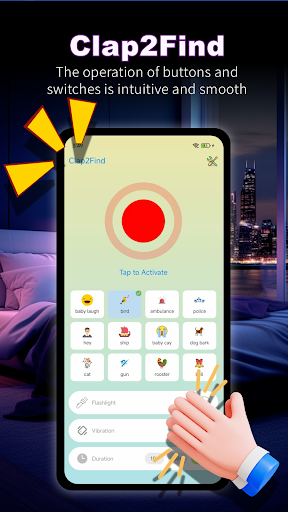
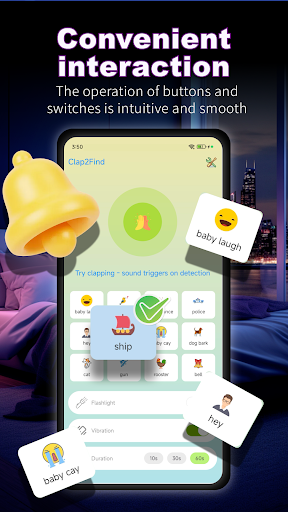
The main screen is minimalism done right. A large circular button labeled “Start Listening” sits at the center, with a small settings gear in the corner. That's it. No clutter, no confusing menus. Once listening mode is active, the button changes to a pulsing microphone icon, and the background turns a soft blue. When a clap is detected, a neon‑green arrow appears, rotating in real time as you move. The arrow stays visible for 15 seconds, giving you enough time to home in.
Learning curve? Nearly zero. My 70‑year‑old father understood it after a single demonstration. The app doesn't bombard you with tutorials; it just works. The AR overlay mode (available on iOS 12+ and some Android flagships) adds a faint compass‑like line over the camera view, which feels natural and reduces the mental gymnastics of translating a 2D arrow to the real world. For users with hearing impairments, the app also supports vibration patterns: a short buzz when the arrow points roughly in the right direction, and a continuous buzz when you're within 1 meter.
Where It Stands Out from Traditional Trackers
Bluetooth trackers like Tile or AirTag are excellent if you have a compatible tag attached to your keys or wallet. But they require buying additional hardware, pairing, and battery replacements. Clap2Find does everything with software alone—no extra dongle needed. That's its unique advantage: it turns your existing phone into a finder, and it works for any device that can run the app (including your spouse's phone or a shared tablet). The downside, of course, is that it only works when the lost device is within earshot and in a relatively quiet area. But for those everyday “I just put it down somewhere” moments, it's faster than pulling out a separate tracker and launching its app.
Another differentiator is the lack of any subscription or account requirement. You don't need to sign up, log in, or share your location data. The app processes everything locally on the device, which is refreshing in an era of constant data collection. The only network access is for optional failure‑mode location (using Wi‑Fi scans), and that can be disabled in settings.
The Elephant in the Room: Battery & Limitations
Listening mode consumes about 6–8% battery per hour on a modern phone—much less than continuous GPS tracking, but still noticeable if you leave it on all day. The app can run in the background, but to save power, it turns off the microphone after 30 minutes of inactivity unless you set an exception for specific time windows. The auditory beep when the device is found is set at a moderate volume, but it can be startling if you're in a quiet library. You can lower it in settings.
Room for improvement: The clap detection could be more forgiving (allow custom trigger sounds, like a whistle or a snap). And the history log is basic—just a text list of times and rough coordinates, not a map. A better visual map would help when you're searching between floors.
Verdict: Should You Install It?
I'll be direct: Clap2Find is not a replacement for a dedicated tracker, and it won't help if you lose your phone outside. But as a free‑to‑download (with a one‑time $2.99 unlock for the AR overlay and history), zero‑fuss tool for home use, it's genuinely useful. I keep it installed, and I've used it at least a dozen times in the past month—mostly for finding my phone under the bed or between couch cushions. It excels in exactly those situations: quick, low‑tech, and surprisingly accurate within a room.
Recommendation: If you own a smartphone and occasionally lose it inside your home or office, give this app a try. It's lightweight, privacy‑friendly, and the learning curve is practically invisible. Just remember to close the door and turn down the TV before you clap.
Rating: 4/5 – one star off for limited range and occasional missed claps, but otherwise a clever little helper that earns its place on your home screen.