Introducing Logo Maker - Design Creator: The Ultimate Logo Design Companion
Logo Maker - Design Creator is a user-friendly application crafted to empower both amateurs and professionals to craft stunning logos effortlessly. Developed by a dedicated creative team, this app combines intuitive design tools with innovative features, aiming to democratize logo creation for a broad user base—from small business owners to branding enthusiasts.
Core Features That Make Logo Maker Stand Out
At its core, this app shines with several key functionalities:
- AI-Driven Logo Suggestions: The app utilizes artificial intelligence to generate logo concepts tailored to your preferences, saving time and inspiring creative directions.
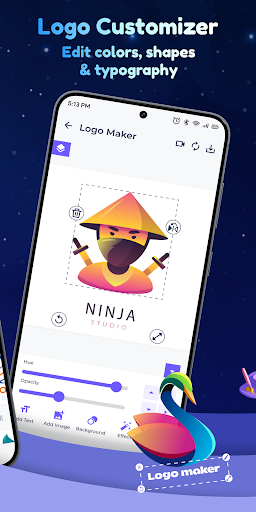
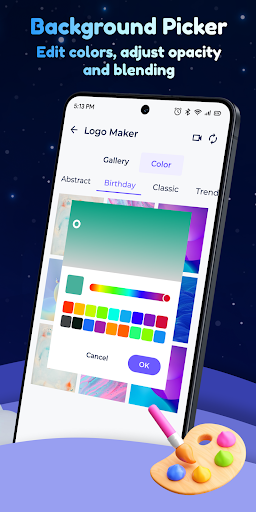
- Rich Customization Options: Users can fine-tune every element—from colors and fonts to icons—ensuring each logo truly reflects their brand identity.
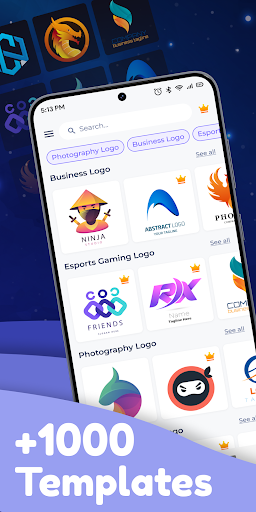
- Extensive Asset Library: An abundant repository of icons, shapes, and templates allows quick assembly of professional-looking logos without starting from scratch.
- Export Flexibility: Multiple export formats and resolutions facilitate seamless integration into websites, business cards, and more.
An Engaging Start: Enter the Logo Wonderland
Imagine stepping into a vibrant creative studio where your ideas blossom into visual marvels in a matter of minutes. Logo Maker isn't just an app—it's like having a personal design assistant who hears your vision and helps bring it alive with a sprinkle of technological magic. The onboarding experience is smooth, with a clear and friendly interface that invites users into a colorful world of possibilities. Whether you're a startup founder eager to establish a visual identity or a hobbyist experimenting with designs, the app greets you with a welcoming ease that makes the whole process less intimidating and more inspiring.
Smart AI Suggestions: Your Creative Accelerator
One of the most distinctive features of Logo Maker is its AI-powered logo suggestions. As you input your brand's name, industry, and some preferences, the app swiftly whirs into action, generating a curated palette of logo ideas. It's akin to having a seasoned graphic designer by your side, offering a variety of concepts that spark your creativity. Unlike simply browsing templates, this AI-driven system adapts to your inputs, ensuring each suggestion is tailored to your style. This feature particularly shines for users who seek professional polish but lack extensive design skills, acting as a creative catalyst that saves hours of manual tweaking.
Deep Customization: Refining the Perfect Logo
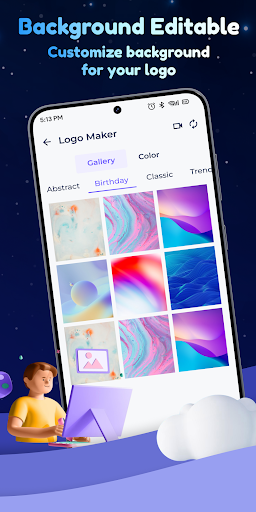
Once you select a promising template or logo idea, the customization tools step in to let you mold it into your perfect emblem. The interface resembles a neatly organized digital workspace—drag-and-drop elements, color pickers, font selectors—all intuitively arranged for a smooth design journey. You can swap icons, adjust sizing, tweak color schemes, and preview how your logo will look across different backgrounds and contexts. The rich asset library offers a plethora of icons and shapes, providing endless combinations and enabling creative flexibility. The design process feels like sculpting with digital clay, where you have full control over every detail without feeling overwhelmed.
User Experience and Differentiation from Competitors
The app's interface is refreshingly clean and responsive, with snappy loading times that keep your creative flow uninterrupted. The learning curve is gentle—new users can grasp core functionalities within minutes, thanks to clear tooltips and guided tutorials. Compared to competitors like Canva or Hatchful, Logo Maker's real strength lies in its AI suggestions and customizable assets—that dynamic duo sets it apart as a more intelligent and flexible tool. Its ability to generate multiple unique concepts based on minimal input makes it especially appealing for users who value efficiency without sacrificing quality. Plus, its export versatility makes it straightforward to integrate logos into various formats and mediums, a subtle but vital advantage for professional use.
Final Verdict: A Worthwhile Tool for Creatives and Entrepreneurs
This application earns a solid recommendation, especially for small business owners, startups, and budding designers seeking an accessible yet capable logo creation tool. While it may not replace high-end design software for intricate branding projects, it excels at producing quick, quality logos that can kickstart your brand identity. The standout feature—the AI-powered logo suggestions—acts as a creative muse on demand, making it a unique asset among similar apps. For those beginning their branding journey or needing an efficient, straightforward logo generator, Logo Maker - Design Creator is definitely worth exploring. Just remember to spend some time experimenting with its customization options to truly make your logo stand out.