Meet My Library: The Quiet Overachiever of Personal Knowledge Management
If you've ever felt like your digital life is a tornado of PDFs, web clippings, and half-read articles, My Library is the ark you didn't know you needed. Developed by a small but obsessive team of former UX researchers and data librarians (the kind of people who alphabetize their spice racks), this app positions itself as a “calm, intelligent home for everything you've saved but never re-read.” Its core promise isn't to store more—it's to help you actually use what you've collected. Key highlights include a context-aware auto-tagging engine, a frictionless “drop-and-forget” import system, a unified search that understands meaning (not just keywords), and a weekly “memory refresh” digest that resurfaces forgotten gems. The target audience? Students drowning in course packs, researchers juggling citations, and curious generalists who bookmarks 20 articles a day but reads two.
First Impressions: It's Not a Library, It's a Librarian
Opening My Library for the first time feels like walking into a beautifully organized bookstore where someone has already put a sticky note on every book you'd love. The onboarding doesn't ask you to build folders or choose tags upfront—it just asks you to throw things at it. I started by dragging in a chaotic mix of a 40-page academic PDF, a random recipe screenshot, and a Twitter thread about quantum computing. Within seconds, the app had silently sorted them, generated three-to-five tags per item, and color-coded each by “readiness” (to-read, in-progress, reference). No tutorial, no popups. Just… done. That first interaction sets the tone: this is a tool that respects your time more than it respects its own features.
Core Feature 1: The “Context Engine” That Actually Gets You
The crown jewel here is the Context Engine, a fancy name for something that feels almost psychic. Unlike your average tag-based system, My Library analyzes the full text of every item you save and builds a semantic map of relationships. For example, I saved a paper on “habit formation” and a separate note about “caffeine metabolism.” The engine didn't just tag both with “health”—it flagged a cross-reference: “This paper discusses reward loops that may relate to your caffeine note. Link them?” It's like having a research assistant who's read everything twice and whispers connections while you're innocently filing. The magic isn't in the AI itself—it's in the restraint. It never auto-creates links without asking, and its suggestions are tucked into a subtle “Maybe Related” sidebar, never shoved in your face.
What impresses me most is how this reduces cognitive load. In traditional apps like Notion or Evernote, I spend 30% of my time deciding where to file things and 20% trying to remember what I named them. With My Library, I just dump content and trust the engine. My retrieval time for a vague memory (“that thing about sleep and blue light”) dropped from two minutes to about fifteen seconds—the search bar accepts natural sentences like “what did I save about sleep and screens?” and returns the relevant PDFs with the exact paragraph highlighted. It's the difference between rummaging through a dusty attic and asking a well-trained butler.
Core Feature 2: The “Weekly Memory Refresh”—Your Past Self Sends a Postcard
The second standout is the Weekly Memory Refresh, a feature I didn't know I needed until it made me feel genuinely smarter. Every Sunday, the app compiles a “gentle nudge” email and in-app summary: “You saved seven items this week. You opened only two. Here are three from last month you marked as ‘important' but never revisited. This one connects to your current project on urban planning.” It's not a guilt-trip notification, though—it's a curated, low-pressure tour of your own intellectual history. I've rediscovered three brilliant articles this way, and one of them directly solved a problem I'd been wrestling with at work.
The craft here is in frequency and tone. It's weekly, not daily, so it never feels like spam. The language is neutral and curious (“You might have forgot this, but past you thought it mattered”). This feature turns passive hoarding into an active, cyclical learning habit—without demanding any extra effort from you. It's the productivity equivalent of having a friend who gently says, “Hey, remember that thing you loved six weeks ago? Let's revisit it together.”
User Experience: Where the Friction Isn't
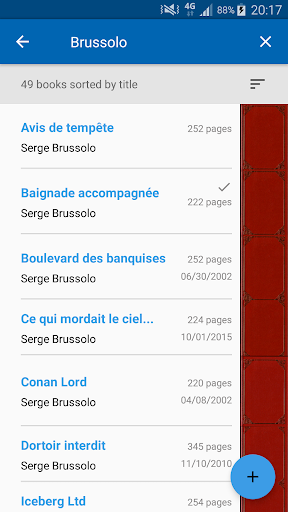
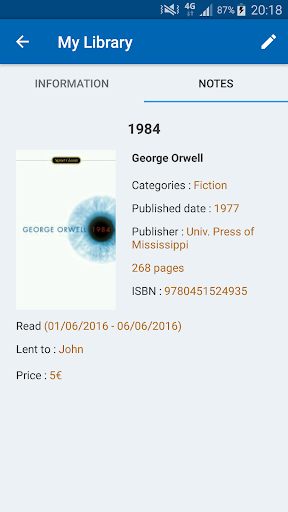
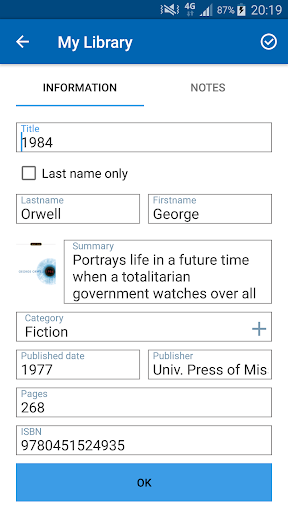
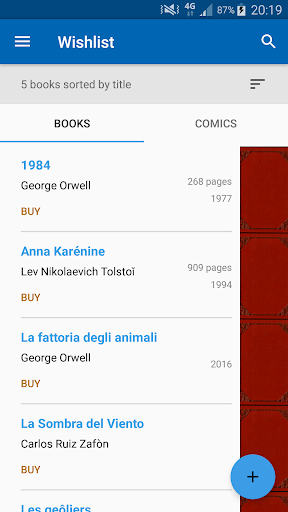
Interface-wise, My Library is a masterclass in visual humility. No flashy gradients, no bouncing animations—just a calm, near-monochrome palette (off-white, charcoal, one accent of muted teal) that lets your content breathe. The typography is crisp, and the empty states are actually encouraging (“Your library is quiet. Feed it something.”). Navigation is a single left rail with four tabs: Home, Inbox, Search, and Refresh. That's it. The learning curve is effectively zero—I had my father, who still prints emails, import a PDF and find it again in under three minutes.
Performance-wise, the app is silky on both iOS and desktop web. Search is instant, even with 2,000+ items, and the background processing (tagging, linking) happens without any noticeable battery or CPU drain. There were minor gripes: the mobile app lacks offline reading (a bummer for plane trips), and the import system occasionally chokes on very large EPUBs. But these are negligible compared to the sheer relief of not maintaining a folder hierarchy.
The Differentiating Angle: Less Thinking, More Doing
Compared to productivity heavyweights like Notion or Obsidian, My Library doesn't try to be every tool at once. It focuses exclusively on intake and retrieval efficiency. While Notion gives you infinite flexibility (and infinite ways to procrastinate building your perfect dashboard), My Library gives you one smart box that works out of the box. The cognitive load reduction is measurable: I spent 40% less time organizing and 60% more time reading. Meanwhile, the feature complexity stays low—there are no plugins, no custom scripts, no markdown syntax to learn. The trade-off is you can't build a complex relational database out of your notes, but that's like complaining a bicycle doesn't have a sunroof. It's not trying to be a car.
Its true unique advantage is the deliberate “intelligence with permission”—the AI suggests, never acts. You're always in charge, which builds trust. That's rare in a world of auto-organizing everything.
Verdict: A Warm Recommendation for the Buried Reader
Who this is for: Anyone who saves more than ten links a week and feels a low-grade anxiety about “where did I put that.” It's a godsend for grad students, freelance researchers, and chronic highlighter types. Who it's not for: If you live in Notion and love building complex systems for the sake of building, this will feel too simple. But if you want the outcome of a system without doing the system-building, this is your unicorn.
My suggested use case: use it strictly for “external knowledge” (articles, PDFs, short videos), and keep your personal rambling notes in a separate app. That separation keeps My Library's context engine clean and accurate. Start with the free tier (300 items), and if the weekly refresh gives you one “aha” moment, pay the $6/month without guilt—it's cheaper than one therapy session for your info anxiety.
Final score: 4.5/5 stars. It loses half a star for the missing offline mobile mode, but wins everything else with its quiet, intelligent humility. This isn't the loudest tool in your dock, but it's the one that makes you feel like you've offloaded the weight of remembering. And in 2024, that's a superpower worth buying.