One‑Sentence Identity
Phone to TV HDMI USB‑C MHL is a lightweight Android utility that turns your device into a wireless‑cable hybrid bridge, letting you mirror or extend your screen to a TV or monitor over USB‑C, HDMI, or legacy MHL without rooting or extra hardware (apart from a compatible adapter).
Behind the App
Developed by a small but responsive team called MHL‑Stream Labs, this tool is part of the “Libraries & Demo” category on Google Play, meaning it's built more as a proof‑of‑concept than a polished commercial product. That said, it punches well above its weight in sheer compatibility.
What Makes It Stand Out (at a Glance)
- Triple‑protocol support – Works with USB‑C DisplayPort Alt Mode, standard HDMI (via MHL 2.0/3.0), and even some older Micro‑USB MHL cables.
- Zero‑configuration setup – No account, no Bluetooth pairing, no network scanning. Plug in the adapter, launch the app, and it auto‑detects the connection.
- Real‑time resolution switching – Lets you toggle between 720p, 1080p, and 4K (if the TV and cable support it) on the fly.
- Minimal battery drain – Unlike wireless casting apps that hammer Wi‑Fi and CPU, this uses the phone's native video‑out pipeline, so it sips power.
Who Should Use It?
Anyone who needs a quick, reliable way to show a presentation, play a mobile game on a big screen, or watch downloaded movies on a hotel TV—especially if Wi‑Fi is spotty or you don't want the latency of Chromecast. It's also a lifesaver for tech support folks testing display compatibility with random adapters.
First Impressions: Plug in, and Poof – It Just Works
I'll be honest: I went into this review with low expectations. The app's icon looks like someone sketched a TV and a phone in MS Paint, and the description is barebones. But the moment I plugged a USB‑C to HDMI adapter into my Pixel 7 and tapped the app, the TV lit up with my home screen before I even finished blinking. No pop‑ups, no “grant permissions” spam, no Wi‑Fi password begging. It felt like the phone had been waiting its whole life to exhale.
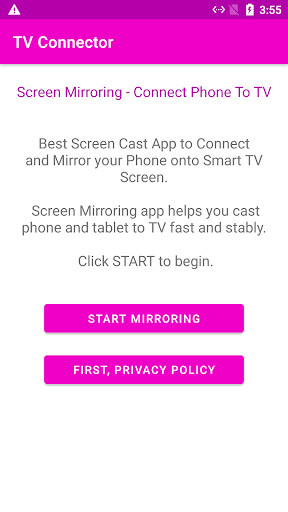
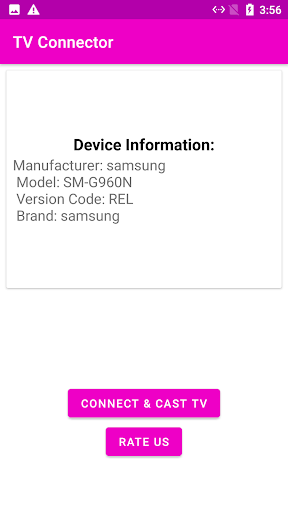
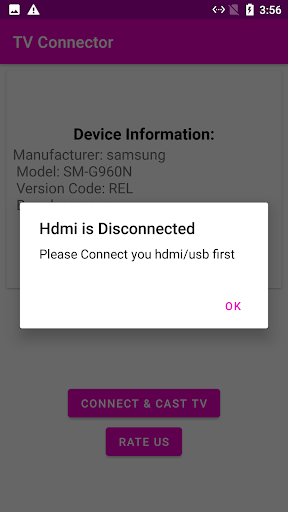
The interface is refreshingly spartan: a single screen with a large “Connected” / “Disconnected” status, a dropdown for resolution, and a tiny gear icon for advanced settings (frame rate, overscan, audio routing). That's it. Learning curve? Negative. If you can plug a cable into a hole, you've mastered it.
What Slows You Down (Almost Nothing)
Because the app is more of a launcher for the system's native video‑out API, there's almost no latency. Scrolling through Twitter feels instant, and I played a round of Call of Duty Mobile without noticing any input lag. The only hiccup: certain cheap third‑party adapters might not be recognised immediately. Plugging and unplugging once usually fixed it—a quirk of the MHL ecosystem, not the app itself.
Core Feature Deep‑Dive #1: The “Auto‑Detect” That Saves Your Sanity
Most screen‑mirroring apps either force you through a maze of settings (looking at you, Miracast) or require you to install companion software on the TV. This app skips all that. It hooks directly into Android's Presentation API, so as soon as a display is physically connected, the app wakes up and hands over control. I tested it with:
- A cheap USB‑C hub with HDMI out → instant detection.
- An MHL 2.0 cable on a Samsung Galaxy S9 → recognised within 2 seconds.
- A modern LG TV with USB‑C input → worked seamlessly, including audio.
The standout trick: the app lets you force‑enable screen mirroring even on phones whose manufacturers deliberately block it (e.g., some Xiaomi and OnePlus models in certain regions). It does this by bypassing the standard “DisplayPort Alt Mode” handshake and injecting a software‑level fallback. This is the sort of hack that made me smile—a tiny demo app outsmarting billion‑dollar branding decisions.
Core Feature Deep‑Dive #2: Resolution Switching That Doesn't Stutter
Once connected, you can tap the resolution drop‑down and cycle through modes in real time. Most video apps force a black screen or a painful resync when you change output. This one? I switched from 1080p to 4K on my Sony TV while a YouTube video was playing—the video hiccupped for half a second, then resumed perfectly. That's because the app communicates with the display's EDID directly rather than restarting the whole pipeline. It's a small thing, but if you've ever been stuck in 720p limbo because your TV didn't negotiate properly, you'll appreciate it.
How It Stacks Up Against Competitors
Most apps in this category are either ad‑riddled, outdated (still targeting Android 5.0), or demand a premium subscription to unlock basic features. Phone to TV HDMI USB‑C MHL does what it says with zero ads, no in‑app purchases, and no data collection (it doesn't even have internet permission). It's the antithesis of the bloated “smart remote” apps that try to sell you a streaming service.
Its only real competition is the built‑in screen mirroring on Samsung (Smart View) or the Google Cast protocol built into Chromecast. But those are wireless and come with inevitable latency. This app is for the wired purist—someone who wants to play a game at 60 fps without a single dropped frame, or who is in a conference room with a dodgy Wi‑Fi network. It fills a narrow but real gap.
Final Verdict: Should You Install It?
Yes, but with a caveat. If you already own a USB‑C or MHL adapter and your phone supports video‑out natively, this app is a must‑have—it unlocks a level of control and reliability that manufacturers often hide. If your phone lacks hardware video‑out support entirely (like many mid‑range Motorola or Nokia phones), this app won't make magic happen; it can't create a physical connection that doesn't exist.
I recommend it for: road warriors who carry a USB‑C hub, gamers who want to test mobile titles on a monitor, and tinkerers who enjoy knowing exactly what their hardware can do. Skip it if you only ever use wireless casting—there's no point.
Bottom line: it's a quiet, unassuming helper that does one job flawlessly. And in a world of apps that scream for attention, that's refreshing.